Recalbox 10.1 is a major update: new systems, new emulators, a richer interface and, at last, a simple installation on PC. Here is the essential, with a link to the detailed documentation for each feature.
Recalbox 10.1.1 is available to everyone. Download it from the official page, or update to it from a 10.0.x or a 10.1. It is a fix release: everything this page describes still applies, and the list of fixes is further down. Patrons got it early; the
patronchannel now serves the releases that come next.
Coming from a 9.x release? Recalbox 10 is the only supported branch: update before asking for help.
¶ Installation and hardware
¶ Install Recalbox on an internal disk
Boot Recalbox from a USB drive, then install it on the internal disk of your PC or Pi, with no external tool. A laptop with soldered storage finally becomes a dedicated console.
➡️ Install on an internal disk
¶ Recalbox JVS
JVS support arrives: plug Recalbox into a compatible arcade cabinet and drive it with its own panel. A dedicated splash screen signals JVS mode.
➡️ Lightguns and cabinets · The Recalbox JVS Kickstarter
¶ A 2 GB Raspberry Pi 5 is enough
Memory usage has been optimised: the 2 GB Pi 5 runs Recalbox 10.1 with no compromise. No need to pay for more RAM.
➡️ Raspberry Pi compatibility · RecalTower case for Pi 5
¶ Interface
¶ The visual controller configurator
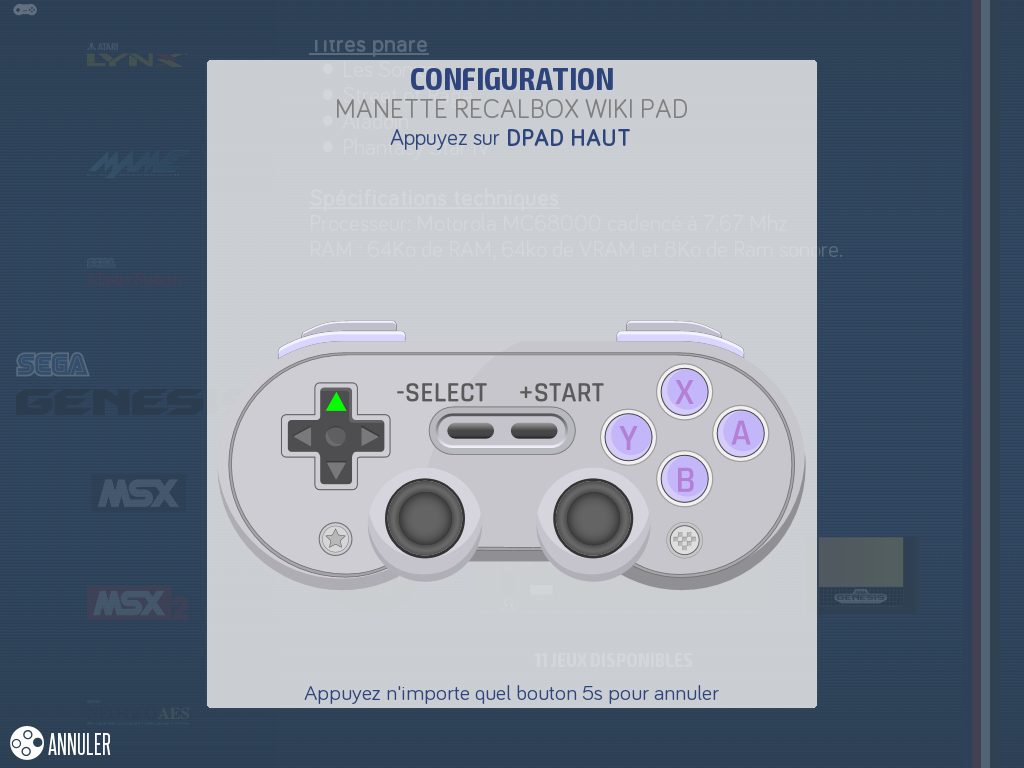
No more abstract button list: the new configurator draws your controller and lights up the button to press, step by step. It first asks for your controller type (8BitDo style, Xbox, arcade panel…) to show the right layout.
¶ Overhauled scraper
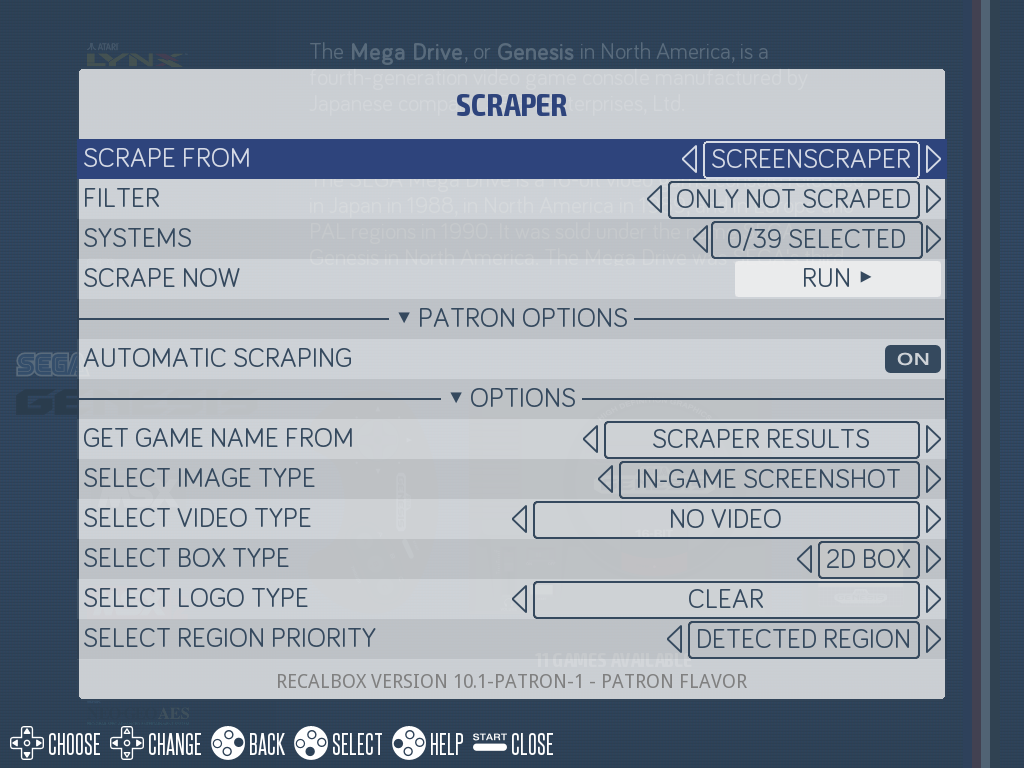
The scraper now fetches logos (Clear, Carbon, Steel, marquees, SteamGrid), 2D or 3D boxes of your choice, and the new Tips & Tricks files. Logos, boxes, maps and manuals are all referenced in gamelist.xml; the obsolete thumbnail is gone.
¶ LOGO view and manual browser
Each system can switch its game list to the LOGO view. And the START menu of a game list opens a PDF manual browser, along with maps and Tips & Tricks, right on the machine.
➡️ Game list views and manuals
¶ Two new virtual keyboards
In addition to the classic arcade wheel, Recalbox offers a full keyboard (with Shift and AltGr) and a simplified keyboard, smartphone style, organised in pages.
¶ Jukebox and music
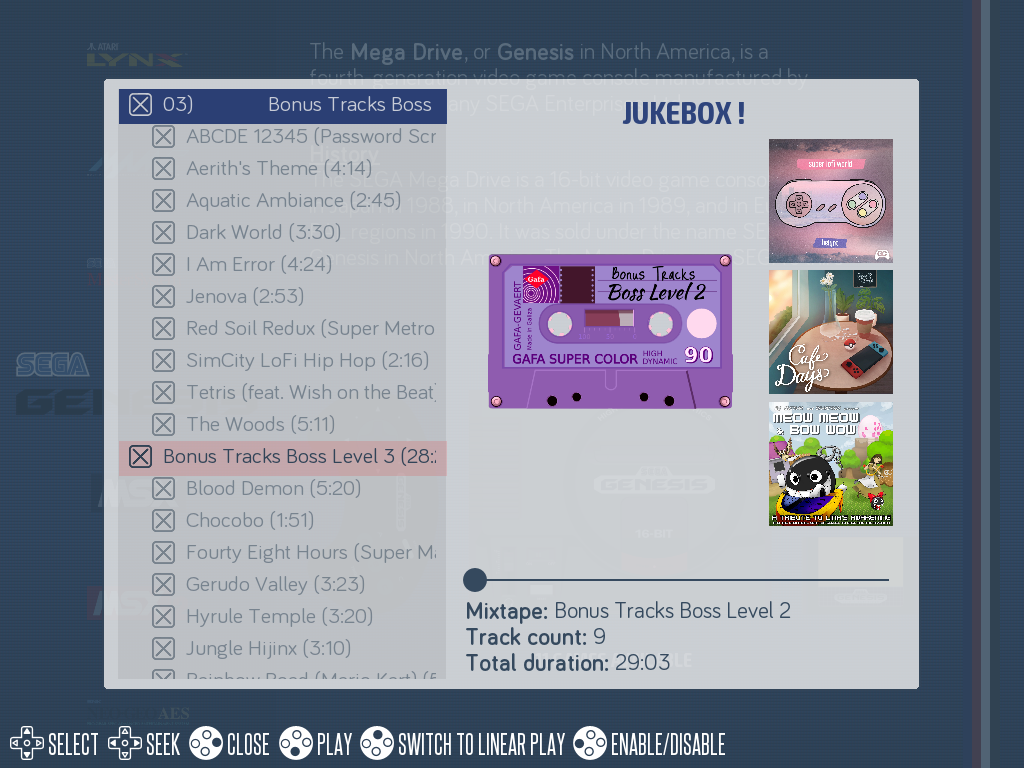
Patrons get a Jukebox: exclusive mixtapes, an interface to browse tracks and drive playback. And HOTKEY + R1 skips the background music instantly.
➡️ The Jukebox
¶ And also
- New boot splash screen, with a dark variant (
system.darkmode) - New bouncing logo screensaver ➡️ Screensavers
- Notification sounds for RetroAchievements ➡️ RetroAchievements
- Spinner and trackball virtual systems ➡️ Virtual systems
- Arabic rendering fixed (bidi algorithm, ligatures, direction)
- Web manager synchronization: settings changed from the browser apply immediately ➡️ Web manager
¶ Online play
Netplay gains the GameLink mode: play two Game Boys linked… over the Internet. The synchronization mode forces both machines back in sync.
¶ New systems
Four machines join Recalbox:
| System | Page |
|---|---|
| Vircon32 (32-bit fantasy console) | Vircon32 |
| Exelvision EXL 100 | EXL 100 |
| Philips P2000T | P2000T |
| Epoch Cassette Vision | Cassette Vision |
The EXL 100 emulator (libretro-exel-hence) is the first core written entirely by the Recalbox team.
¶ New emulators
- Ymir — new Saturn core (RPi4, RPi5, RG, PC) ➡️ Saturn
- libretro-stv — dedicated, faster ST-V core ➡️ ST-V
- libretro-hypseus-singe — Daphne Singe and Singe 2 ➡️ Daphne
- libretro-eightyone — ZX81 and ZX Spectrum ➡️ ZX81
- libretro-rb5000 — VG5000 ➡️ VG5000
- libretro-sugarbox2 — new Amstrad CPC / GX-4000 core ➡️ Amstrad CPC
- libretro-amiberry (experimental) — Amiga ➡️ Amiga 600
RetroArch moves to 1.22.2, and many cores are updated (Flycast Next, Amiberry 8.2, Solarus 2.0.3, PCSX ReARMed r26l…).
¶ Performance
- Frontend rendering on OpenGL ES 2.0 (all boards except PC) and a move to glcore for libretro cores (except Raspberry Pi 3 and Pi Zero 2, which stay on
gl) - Model 3 on Raspberry Pi 5: +15% FPS; faster Naomi 2 (Vulkan, including on CRT)
- Faster boot on Pi 3 and Pi 4
- 60 Hz mode used whenever available
- On Pi 5, the old MAME builds (2003, 2010, 2015) and Advance MAME are removed: recent MAME replaces them advantageously
¶ Lightguns and arcade
- GunCon 2: accuracy fixed (99%), compatibility with arcade and Naomi games, 31 kHz support
- Naomi racing games now accept a standard arcade stick
- Automatic arcade stick configuration on all systems
¶ The 10.1.1 update
Released after 10.1, 10.1.1 is a fix release: it adds no system and no emulator, it repairs what 10.1 let through. Most of it concerns the Recalbox Challenges, CRT output, GunCon 2 guns and the Amiga.
¶ Challenges
The flagship feature of 10.1 gets most of the fixes.
- Your Recalbox tells you when your Patreon account has not joined Recalbox, and offers to link it again from the challenge screen — joining is free.
- Hiding the Challenges system from the menu works again, and it stays hidden after a reboot.
- The challenge no longer vanishes when the console of its game is hidden from the system list.
- A run no longer comes back empty when the game was slow to start: the score is read again whichever way the emulator answers.
MY BEST SCORESnow names you the way the online leaderboard does.- A ranked run keeps its replay, and a game that grants more than nine lives has every death counted.
- Groundwork for the challenges to come: this release reads scores, initials and credits on games the previous one could not.
¶ CRT
- Naomi 2 games (Initial D, Virtua Fighter 4…) fill the screen again in 240p and run at full speed.
- Dreamcast, Naomi and Atomiswave games (Capcom vs SNK 2…) get their pixel-perfect downscale back in 240p.
¶ GunCon 2 guns
- With two guns plugged in, calibration now runs one player at a time and tells you which player it is waiting for.
- MAME games no longer show the emulator crosshair on top of the game's own sight, and their gun options are applied again.
- A warning message appears when a GunCon 2 is connected and the game being started was made for a fixed gun.
¶ Emulation
- PSP games use Vulkan where the hardware offers it, and keep OpenGL on CRT.
- Amiga CD32 games can be played on a CRT.
- Amiga: lr-amiberry recognises the Kickstart ROMs, loads CHD images, and the CD32 pad works.
¶ Frontend
- Characters now display correctly on the new virtual keyboards.
- Tips & Tricks now display correctly.
- Deleting a game properly removes it from the gamelist.
- In the logo view, selecting and launching a clone launches that clone, not the parent.
- Menu titles are no longer truncated at low resolutions.
¶ Cores and controllers
- Libretro Mupen64Plus-Next works again.
- Bluetooth controllers work again on the RG353, RG503, RG ARC and Powkiddy handhelds: since 10.0 a pad would pair and then stay unusable.
¶ Going further
The exhaustive list of changes, fixes included, is in the release notes shown in SYSTEM SETTINGS → SHOW RELEASE NOTES, or on the Recalbox website.
Something wrong after updating? Start with troubleshooting and come talk to us on Discord.