The Web Manager is a web application embedded in your Recalbox: from any browser on the same network (computer, tablet, phone), you can view and change the configuration, browse your games and bios, manage your screenshots and monitor the machine — without leaving your couch.
New in Recalbox 10.1: settings changed in the Web Manager are now applied immediately in your Recalbox's interface, no restart needed. See the Synchronization section below.
¶ Accessing it
With your Recalbox powered on and connected to the network, simply type its name in your browser's address bar:
- On Windows: http://recalbox/
- On Linux, macOS, Android or iOS: http://recalbox.local/
If that does not work, use your Recalbox's IP address directly, for example http://192.168.1.34/. To find it: START → NETWORK SETTINGS → IP ADDRESS line.
If you renamed your Recalbox (
NETWORK SETTINGS→HOSTNAME), use that name instead ofrecalbox.
¶ What you can do
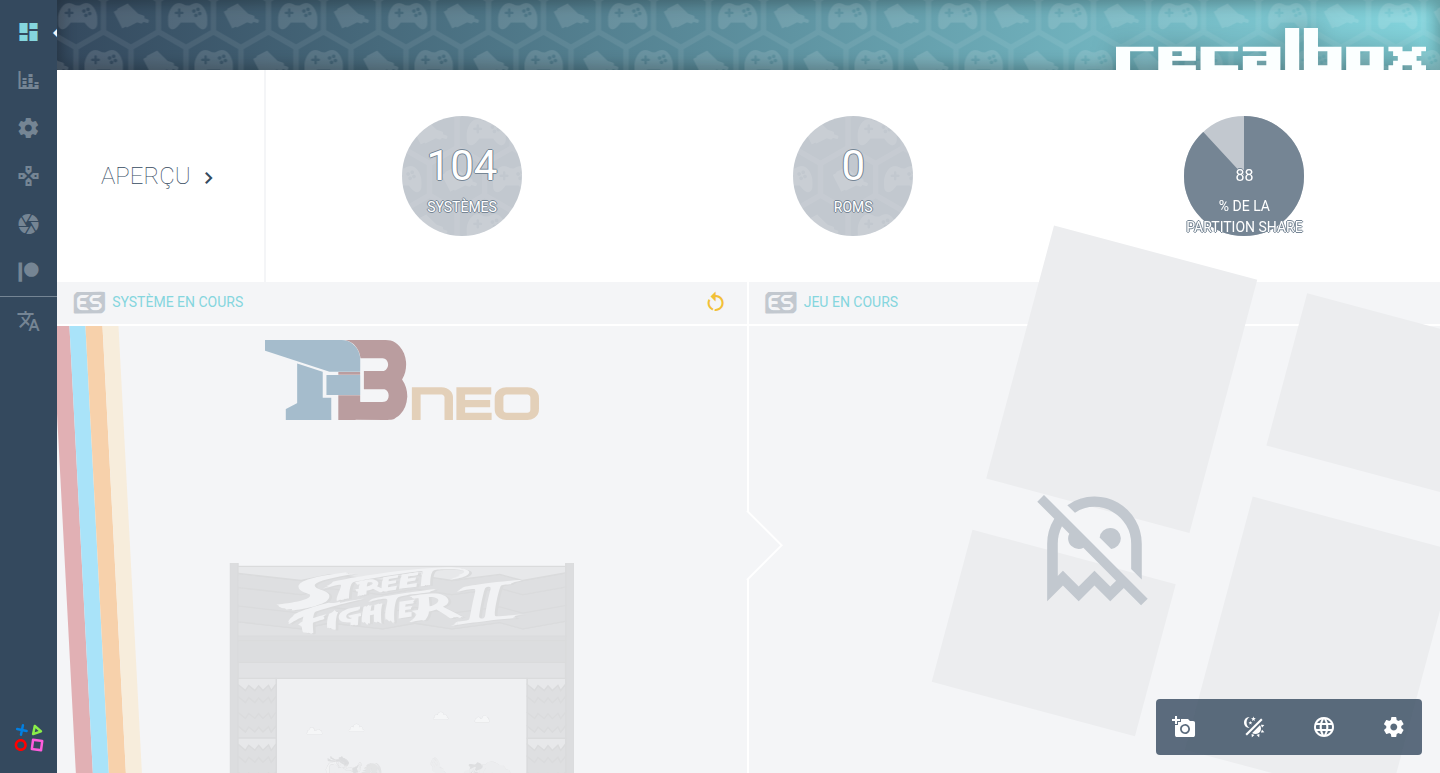
- Home: your Recalbox version, the system being browsed and, if applicable, the game currently running.
- Monitoring: temperature, CPU core load and storage usage, in real time.
- Settings: Recalbox's main options, split into tabs (system, audio, network, EmulationStation, scraper, Kodi, Hyperion).
- Emulation: global options (ratio, shaders, rewind…), netplay, RetroAchievements, the list of your systems and their games, the status of your bios (same verdicts as the bios checker) and controller options.
- Screenshots: view, download or delete your screenshots and videos, and take a screenshot remotely — handy to capture an EmulationStation screen without touching the machine.
- Virtual controllers: a virtual keyboard, trackpad and gamepad usable from the browser — your phone becomes a spare controller to navigate the menus.
- Patreon: enter your Patron key and manage the related options.
- Support: create a support archive (the system logs to attach to a help request), restart or stop EmulationStation, factory reset.
Need help reading the bios screen? Everything is explained in Bios checking.
¶ Synchronization (new in 10.1)
Up to Recalbox 10.0, a setting changed in the Web Manager while EmulationStation was running could be ignored, or even overwritten the next time the configuration was saved. Since Recalbox 10.1, every change made in the Web Manager is forwarded to EmulationStation and applied immediately: enable, say, hidden games from your browser and the game list updates on screen right away, no restart needed.
Synchronization currently works write-only: from the browser to the Recalbox. In the other direction, a setting changed in EmulationStation's menus does not refresh an already-open Web Manager page by itself — reload the page to see up-to-date values.
¶ Disabling the Web Manager
The Web Manager starts automatically with your Recalbox. To disable it:
- In EmulationStation, press
STARTto open theMAIN MENU. - Go to
ADVANCED SETTINGS. - Switch
ENABLE WEB MANAGERto OFF.
The option maps to the system.manager.enabled key of recalbox.conf (1 by default).
¶ For the curious
- The web page is served on port 80 (the
http://recalbox/address with no explicit port). - The interface relies on EmulationStation's REST API, served on port 81 — that is what carries the settings synchronization.
- Monitoring, current-game tracking and the virtual controllers go through MQTT over websocket on port 18833.
If your Recalbox sits behind a local firewall, these three ports must be reachable for everything to work.
Need help? Join the Recalbox Discord.