Recalbox configures lightgun-compatible games automatically: plug in your gun, launch a recognized game, and play. No per-game setup is needed — Recalbox ships a database of over 300 games covering 14 system families, each with the right emulator and button configuration.
Recalbox 10.1 significantly improves gun shooting:
- GunCon 2: fixed shooting accuracy (99%), extended compatibility with arcade and Naomi games, and support for 31 kHz screens on top of 15 kHz.
- New SPINNER and TRACKBALL virtual systems to gather arcade games played with a rotary knob or a trackball.
- Naomi race games are now playable with a standard arcade stick.
¶ Compatible guns
Recalbox recognizes three gun families:
| Gun | Who is it for? | Requirements |
|---|---|---|
| Wiimote + Mayflash DolphinBar | everyone, on any screen | 1 DolphinBar (USB) per Wiimote, up to 2 players |
| Namco GunCon 2 | purists on a CRT screen | a Recalbox RGB Dual or RGB JAMMA (the gun only works on a cathode-ray tube) |
| Recalbox JVS | arcade cabinets fitted with guns | the Recalbox JVS adapter (firmware 2.12) |
Sinden, AimTrak and Gun4IR guns are not supported by Recalbox at this time.
¶ Supported systems
NES, Super Nintendo, Master System, Megadrive, Mega-CD, PlayStation 1, Saturn, Dreamcast, 3DO, Naomi, Naomi GD-ROM, Atomiswave, arcade (MAME, MAME 2003-Plus, FinalBurn Neo), Daphne/Singe (Mad Dog McCree…) and Sega Model 3 (Supermodel: The Lost World, Star Wars Trilogy, L.A. Machineguns, The Ocean Hunter).
The detailed game list is on the Games compatibility list page.
Games are recognized by their name in the game list:
Duck Hunt (World)will be recognized,dhneswill not. Scrape your games to make sure their names are identifiable.
¶ Wiimote + Mayflash DolphinBar
The simplest solution: the Wiimote becomes a mouse that Recalbox turns into a gun. You need one DolphinBar per Wiimote (2 players maximum). A Nunchuk is optional, to shoot with Z and C instead of the Wiimote buttons.
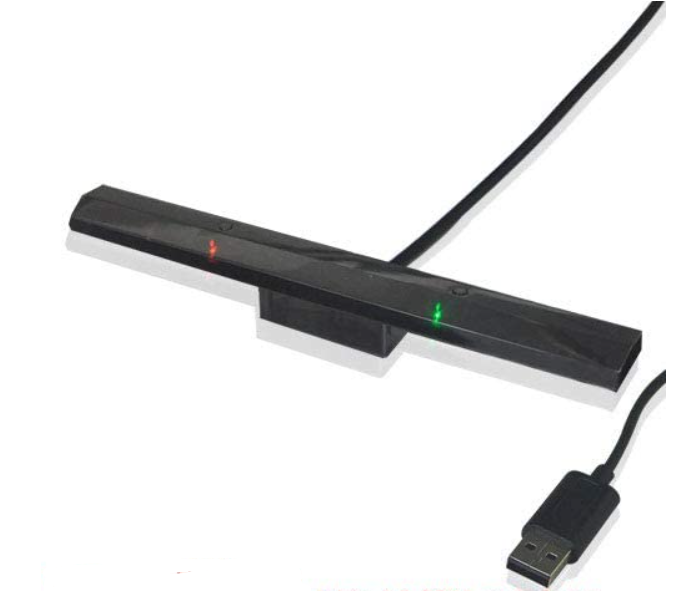
- Plug the DolphinBar(s) into USB and place it above or below your screen.
- Press the DolphinBar's
MODEbutton until the blue LED faces number 2 (mouse mode). - Press the DolphinBar's
SYNCbutton (the LED blinks), then the Wiimote'sSYNCbutton (under the battery cover). The Wiimote is paired. - For two players, repeat with the second DolphinBar/Wiimote pair.
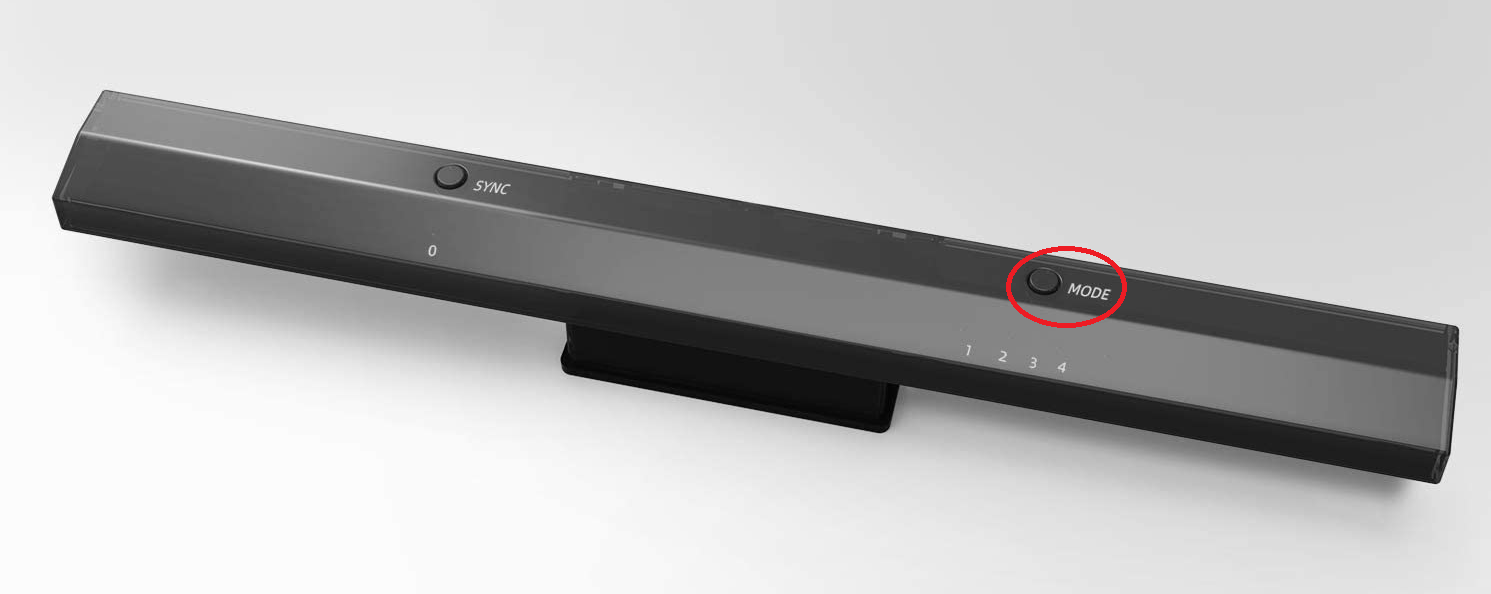
That's it: as soon as a DolphinBar in mode 2 is detected, compatible games launch in lightgun mode. Turn the Wiimote off (or unplug the bar) to get the game back on the gamepad.
¶ Wiimote controls
| Action | Wiimote | With Nunchuk |
|---|---|---|
| Shoot | B (trigger) |
Z |
| Secondary action / reload | A |
C |
| Start (begin, pause) | + |
+ |
| Select (credits) | − |
− |
| Moves / menus | d-pad | d-pad |
| Exit the game | HOME |
HOME |
Buttons 1 and 2 are not used in lightgun mode. Some games have specific needs (grenade, off-screen reload…): Recalbox's configuration database then adapts the buttons on a per-game basis.
¶ Namco GunCon 2 (CRT screen)
The GunCon 2 (Namco's PlayStation 2 gun) is natively supported, on CRT screens only through a Recalbox RGB Dual or RGB JAMMA — the gun's technology requires a cathode-ray tube.
📷 Screenshot coming soon:
lightgun-guncon2.png
- Simply plug the GunCon 2 into USB: it is recognized automatically.
- In 10.1, accuracy has been fixed (99%) and the gun now also works on 31 kHz outputs (480p) on top of 15 kHz, including for arcade and Naomi games.
- When launching a compatible game, Recalbox displays a calibration screen: shoot the targets, then the center target to start playing. See the Calibration page.
¶ GunCon 2 controls
| Action | GunCon 2 |
|---|---|
| Shoot | trigger |
| Secondary actions | A and B (side buttons), C |
| Start / Select | START / SELECT (at the back) |
| Moves / menus | d-pad |
| Exit the game | hold SELECT + START |
| Redo the calibration (during the test phase) | A or START |
Outside a lightgun game, the GunCon 2 is not offered as a gamepad: it is reserved for shooting games. Conversely, if no gun is plugged in, a lightgun game launches normally with the gamepad.
¶ Recalbox JVS (arcade cabinets)
If your cabinet has guns wired to a Recalbox JVS adapter, they are detected as lightguns automatically. Gun-specific settings (X/Y axis flip, "Gun" cab type) live in MAIN MENU → RECALBOX JVS SETTINGS.
¶ The Lightgun, Spinner and Trackball virtual systems
To gather all these games in one place, enable the Lightgun virtual system: MAIN MENU → SYSTEM-LISTS & GAMELISTS SETTINGS → VIRTUAL SYSTEMS section → SHOW LIGHTGUN SYSTEM.
A "LightGun Games" system then appears in your system list, with every game in your collection recognized and tested in lightgun mode. The other virtual systems are described on the Virtual systems page.
📷 Screenshot coming soon:
lightgun-virtual-system.png
Recalbox 10.1 adds two sibling virtual systems to the same menu, dedicated to arcade games:
SHOW SPINNER SYSTEM: games played with a rotary knob (spinner), such as Arkanoid or Tempest.SHOW TRACKBALL SYSTEM: games played with a trackball, such as Marble Madness or Centipede.
Taito USB, Baolian and DIY (Arduino) spinners as well as Taito USB trackballs are detected and configured automatically when the game launches.