Recalbox checks on its own whether a new version is available and offers to install it in a few clicks: download, reboot, automatic installation — allow 5 to 10 minutes excluding download time.
Support is only provided for the latest version of Recalbox: if an update is offered to you, install it before asking for help.
¶ The update notification
Shortly after startup (then once an hour), as soon as the network is available, Recalbox compares your version with the latest published one. If an update exists:
- A small notification appears at the top right of the screen with the new version number. It cannot be disabled — you will always know an update is waiting for you.
- A release-notes popup opens over the interface: it shows the offered version and the list of changes, with two buttons —
LATERto close it,UPDATE NOWto start the update immediately.
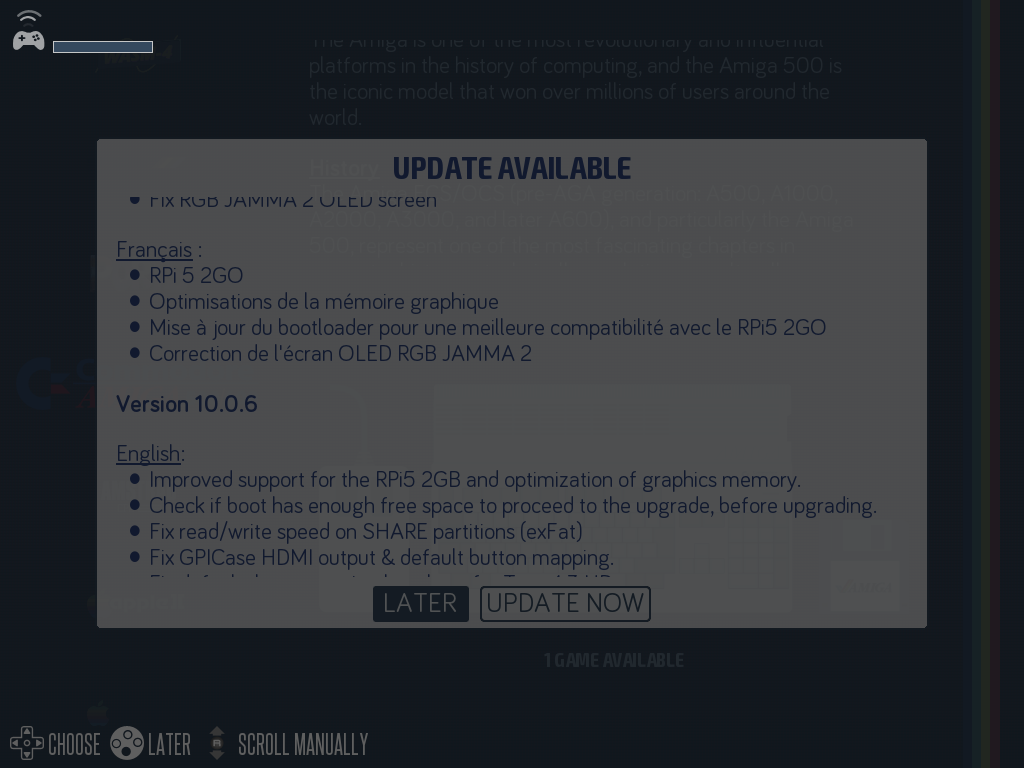
Only this large popup can be disabled (
CHECK UPDATES PERIODICALLYoption below). The check itself and the small notification always stay active.
¶ The UPDATES menu
Press START to open the MAIN MENU, then go to UPDATES:
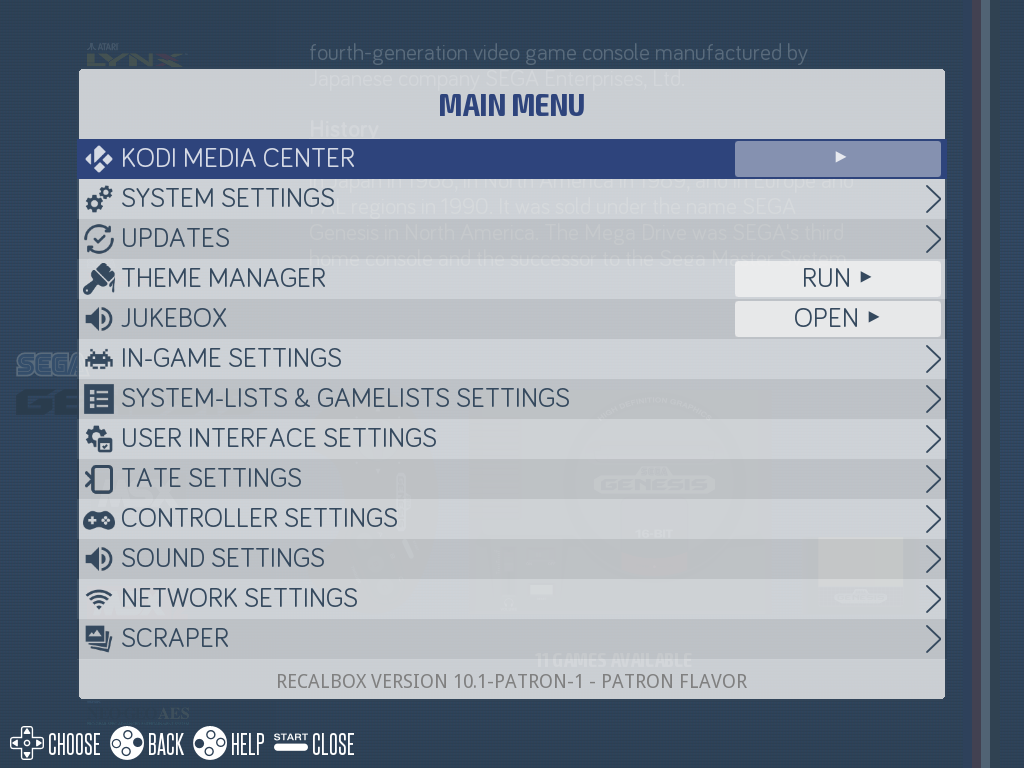
| Line | Role |
|---|---|
AVAILABLE UPDATE |
the offered version, or NO if you are up to date. |
CHECK UPDATES PERIODICALLY |
enables or disables the release-notes popup. |
UPDATE TYPE |
the update channel — only visible to Patrons (see The patron channel). |
CHECK FOR UPDATE NOW |
CHECK button: forces an immediate check. |
SHOW NEW VERSION CHANGELOG |
SHOW button: shows the offered update's release notes again. |
DOWNLOAD AND UPDATE MY RECALBOX |
GO! button: starts the update. Greyed out as long as no update is available. |
📷 Screenshot to come:
update-menu.png
¶ How an online update unfolds
- Start the update, from the popup (
UPDATE NOW) or from the menu (DOWNLOAD AND UPDATE MY RECALBOX). - A download screen appears: "We're downloading Recalbox version X.X.X!", with the progress. Recalbox also checks there is enough free space to install the new version.
- Once the download completes, your Recalbox reboots automatically (
REBOOT IN…). - The installation happens at reboot: a progress screen with 7 bars turning white one after the other. Allow 5 to 10 minutes.
- On the next reboot, you are on the new version.
Never power off or reboot your Recalbox during the installation. If the bars turn red, note how many white bars were shown and ask for help on the Recalbox Discord.
¶ Offline update
No Internet connection on your Recalbox? You can update it with files downloaded from a computer:
- On www.recalbox.com, download the image matching your machine (
recalbox-<your-board>.img.xz) as well as the checksum filerecalbox-<your-board>.img.xz.sha1. - Copy both files into the
update/folder of the boot partition:- either by inserting the SD card/drive of your powered-off Recalbox into your computer: open the drive named
RECALBOXand drop the files into itsupdate/folder; - or over the network, into
/boot/update/(the/bootpartition must be remounted read/write).
- either by inserting the SD card/drive of your powered-off Recalbox into your computer: open the drive named
- Start (or restart) your Recalbox: it detects the files, verifies the SHA1 checksum and installs the update (
OFFLINE INSTALL - PLEASE WAITscreen, 5 to 10 minutes).
If the checksum does not match (corrupted download), the update is aborted and the files are cleaned up: download the image again and retry.
¶ The patron channel
Recalbox Patrons get early access to new versions through a dedicated update channel. Once your Patreon key is set (Patreon page of the Web Manager, or the patron.privatekey key of recalbox.conf), the UPDATE TYPE line appears in the UPDATES menu:
stable: the official releases, for everyone (default);patron: the early-access versions reserved for Patrons;patron-alpha: the test versions, even further upstream — for the adventurous only.
The
patronandpatron-alphachannels require a recognized Patreon key: without one, Recalbox stays on thestablereleases.
¶ In recalbox.conf
| Key | Default | Role |
|---|---|---|
updates.enabled |
1 |
shows the release-notes popup when an update is available. |
Need help? Join the Recalbox Discord.