Your Steam Deck (LCD or OLED) can become a portable Recalbox console. Recalbox is a full operating system, just like SteamOS: it goes on a microSD card and boots instead of SteamOS, without modifying anything on the internal SSD.
It is not possible to install Recalbox on the Steam Deck's internal SSD alongside SteamOS: the
INSTALL TO...menu entry is not offered on this machine. Recalbox lives on the microSD card, full stop.
¶ 1. Choosing the microSD card
Get a quality microSD card (SanDisk Ultra or Extreme, for instance). Since it will hold both the system and all your games, do not aim too small:
| Use | Recommended size |
|---|---|
| 8/16-bit consoles and handhelds | 128 GB |
| Adding 32/64-bit (PS1, N64, Dreamcast) | 256 GB |
| CD/DVD consoles (PS2, GameCube, Wii, Xbox) | 512 GB to 1 TB |
¶ 2. Flashing Recalbox
- Download the 64-bit PC image —
recalbox-x86_64.img.xz— from recalbox.com/en/download/stable. - Flash it onto the microSD card with Raspberry Pi Imager (
CHOOSE OS→Use custom). - Insert the card into the Steam Deck.
The full procedure is described in Preparation and installation.
¶ 3. Booting into Recalbox
Two methods, depending on how you use the machine.
¶ You mostly use SteamOS, and Recalbox now and then
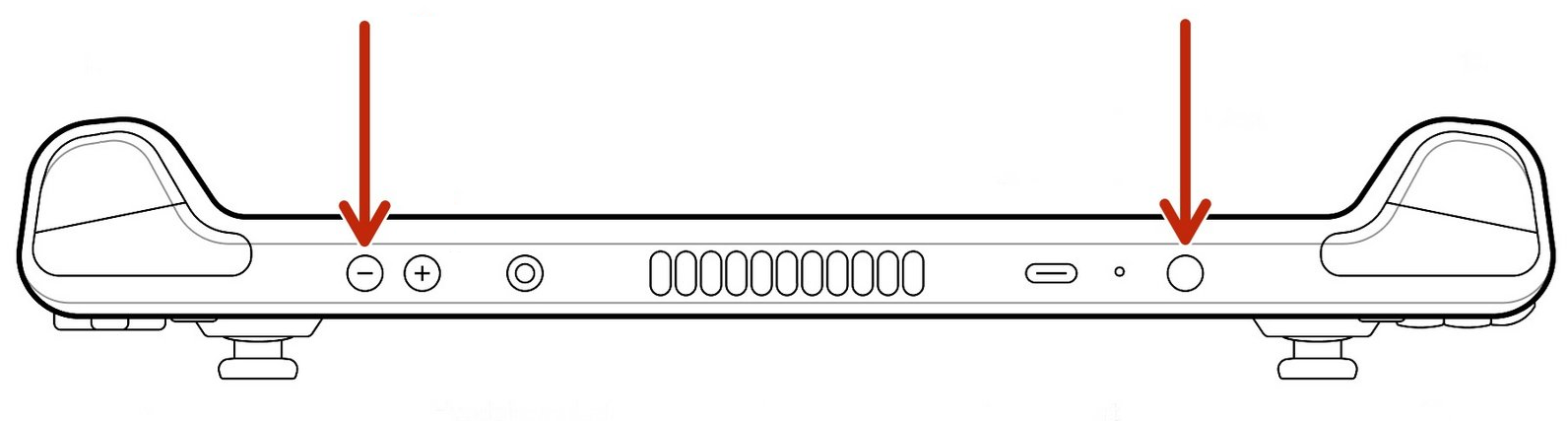
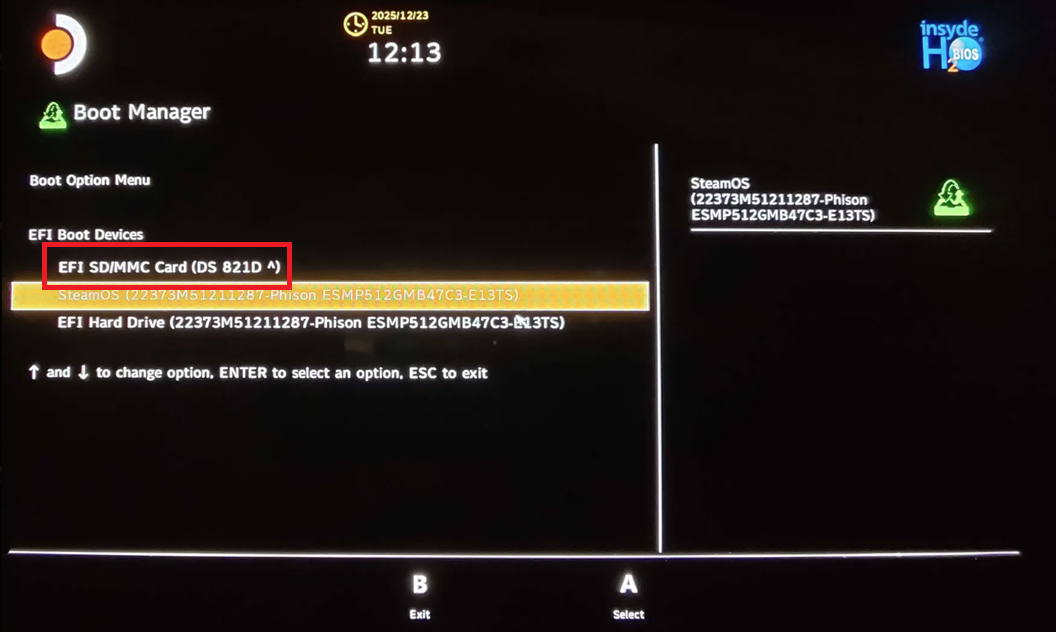
When powering on the Steam Deck, hold Vol- then press Power. The boot menu appears: pick the EFI SD/MMC Card entry matching your microSD card.
¶ You mostly use Recalbox
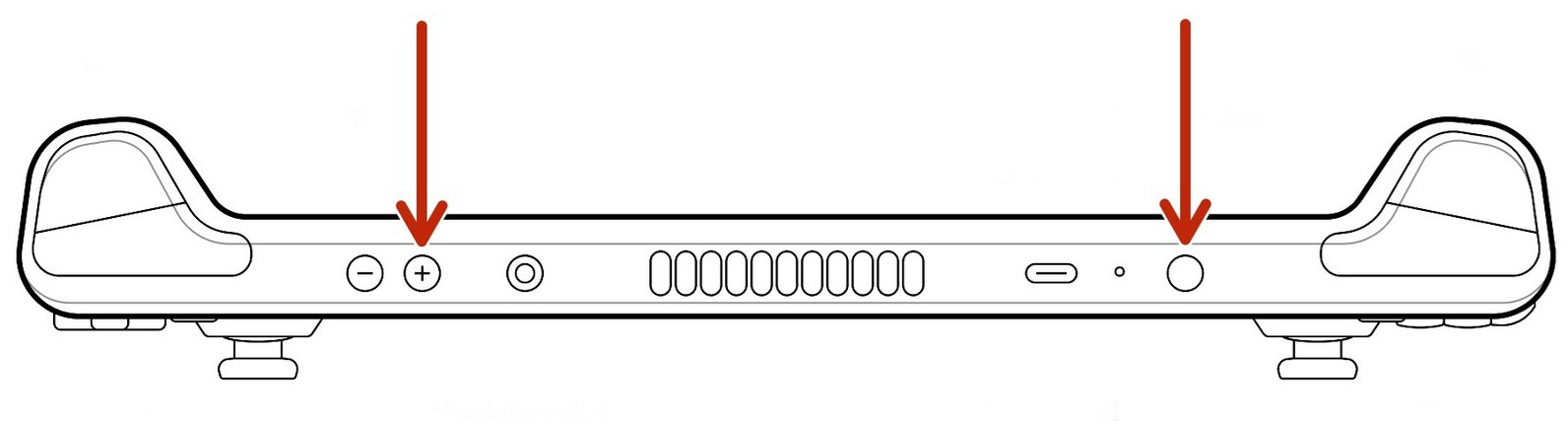
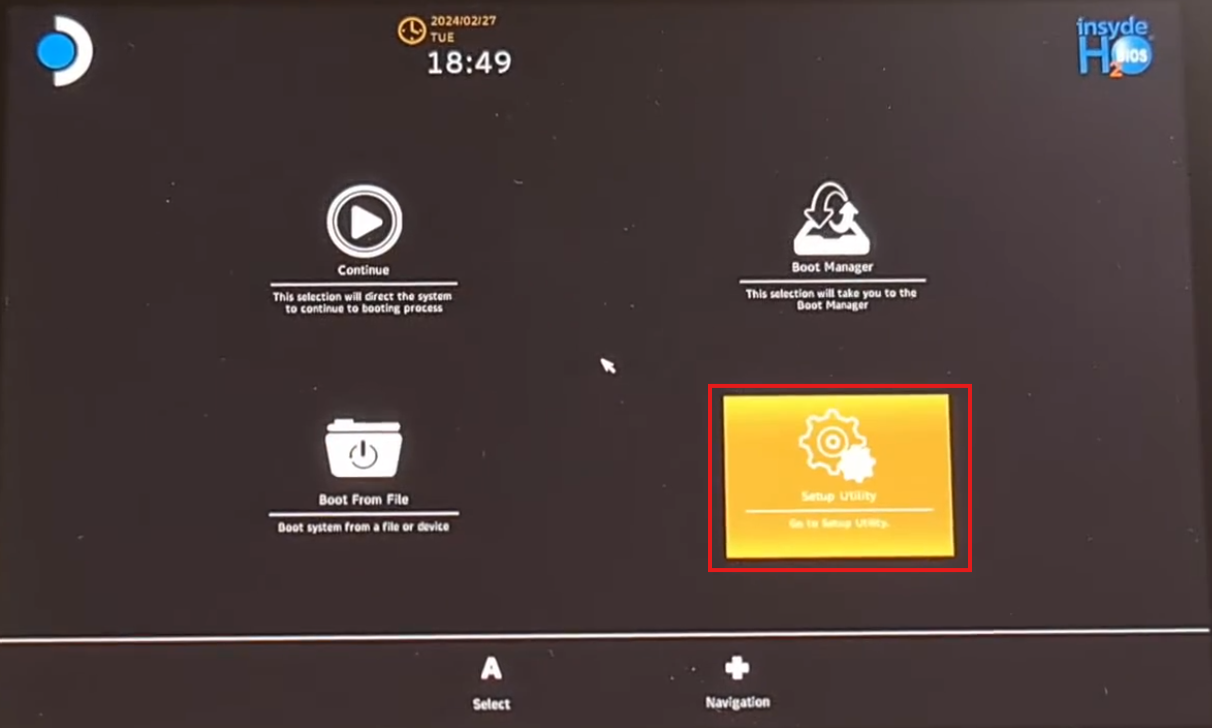
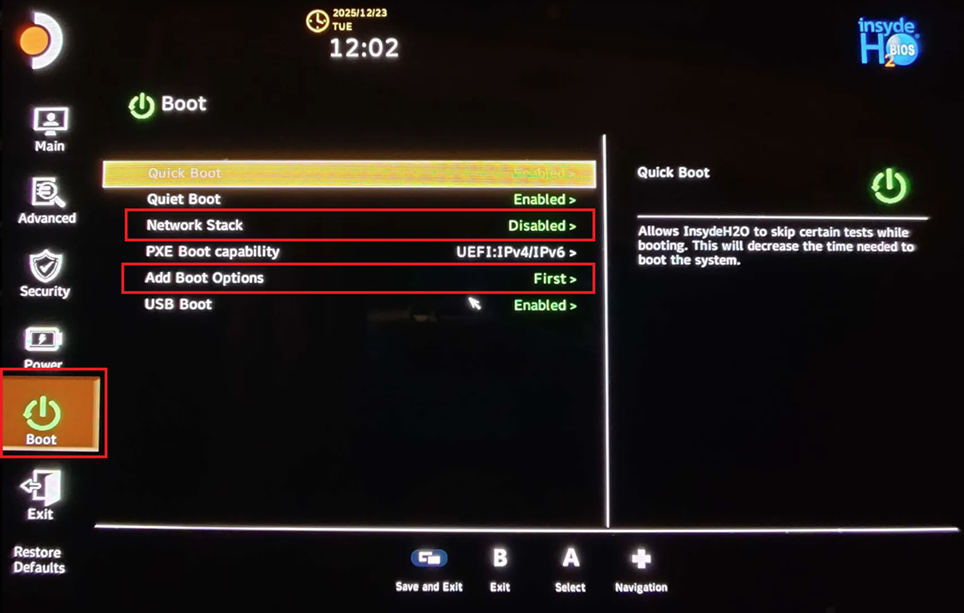
Set up the BIOS to boot from the card first:
- When powering on, hold
Vol+then pressPower. - Choose
Setup Utility. - In the
Boottab: disableNetwork Stack, and setAdd Boot OptionstoFirst. - Save and exit.
The result: Recalbox microSD inserted → the machine boots into Recalbox; card removed → it boots into SteamOS.
¶ What works on the Steam Deck
- Emulation: up to PlayStation 2, GameCube, Wii and Xbox without particular difficulty.
Steambutton =HOTKEY: all the special commands use that button.- Touchscreen for consoles that use it (Nintendo DS…).
- Right trackpad as a mouse for ScummVM, DOS, and so on. Mouse mode is toggled by holding the
…button; a sound confirms the change, and the same action returns to gamepad mode. The Steam Deck OLED supports trackpad clicking; on the LCD, use the triggers as mouse buttons. - Wi-Fi (2.4 and 5 GHz) and Bluetooth.
- Sleep mode.
- Volume and brightness through the
Vol+/Vol-buttons (holdSteamfor brightness). - USB-C dock or hub: the USB-A/USB-C ports (controllers, dongles, external storage, charging) and the Ethernet port work.
¶ Known limitations
- External screen: video output over HDMI, DisplayPort or USB-C is not supported — the intended use is handheld. A dock's video port therefore does not work.
- Waking from sleep: the screen may not redraw completely. Put the console back to sleep and wake it again, and the display comes back. Prefer entering sleep from a paused game or from the menus rather than mid-action.
- Steam Deck OLED: since the refresh rate is fixed at 90 Hz while most emulated games run between 50 and 60 Hz, slight stuttering can occur.
¶ Frequently asked questions
Which SSD size should I get for the Steam Deck? It does not matter: Recalbox is not installed on it. If the machine is dedicated to Recalbox, get the smallest SSD.
Can I use SteamOS and Recalbox at the same time? No. They are two operating systems: you have to shut one down to boot the other.
Can I add external storage for my games? Yes, a USB drive works (see Using external storage), but you lose portability: the USB-C port gets taken, and you can no longer charge while playing.
Can I configure the back buttons and trackpads? Recalbox's controller configurator only assigns one key per function. To go further, use the relevant emulator's own options.