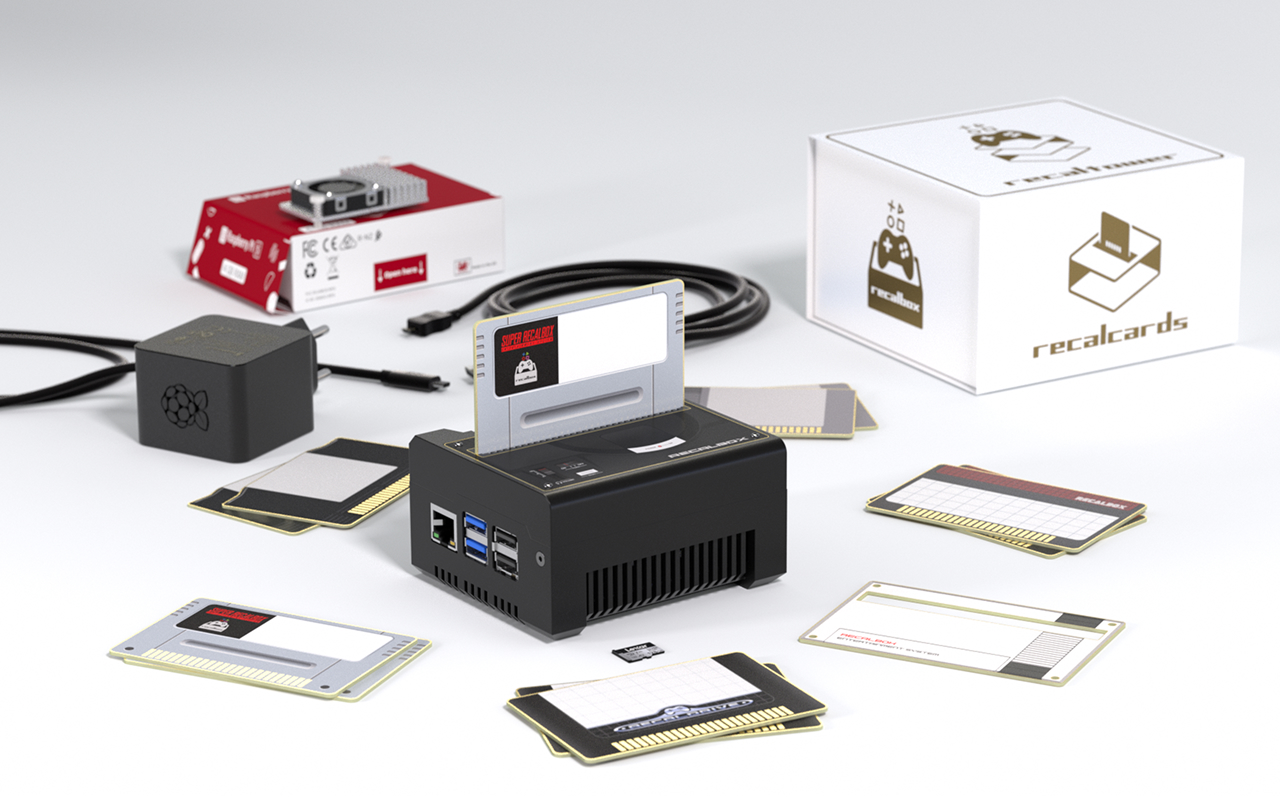
Relive the unique feeling of retro consoles: insert a card into your Recalbox to launch the game of your choice!
The Card Reader and RecalCards turn your Recalbox into a real cartridge console, easy to use and fully plug and play.
¶ Installation
The Card Reader requires Recalbox 10 or newer, on a Raspberry Pi 5.
Download the Recalbox image for the Raspberry Pi 5 from the official download page, then follow the installation guide.
¶ Use
The Card Reader lets you:
- when your Recalbox is turned on:
- launch a game when you insert a card into the reader;
- exit the game when you remove the card.
- when you turn your Recalbox on:
- the associated game launches automatically if a card is inserted and controllers are detected (can be disabled, see the FAQ).
- switch to "Console mode" for an experience close to a real console, where only cards can launch games.
¶ Associating a game with a card
When you insert a card for the first time, a popup explains that you need to associate the card with one of your games in Recalbox.
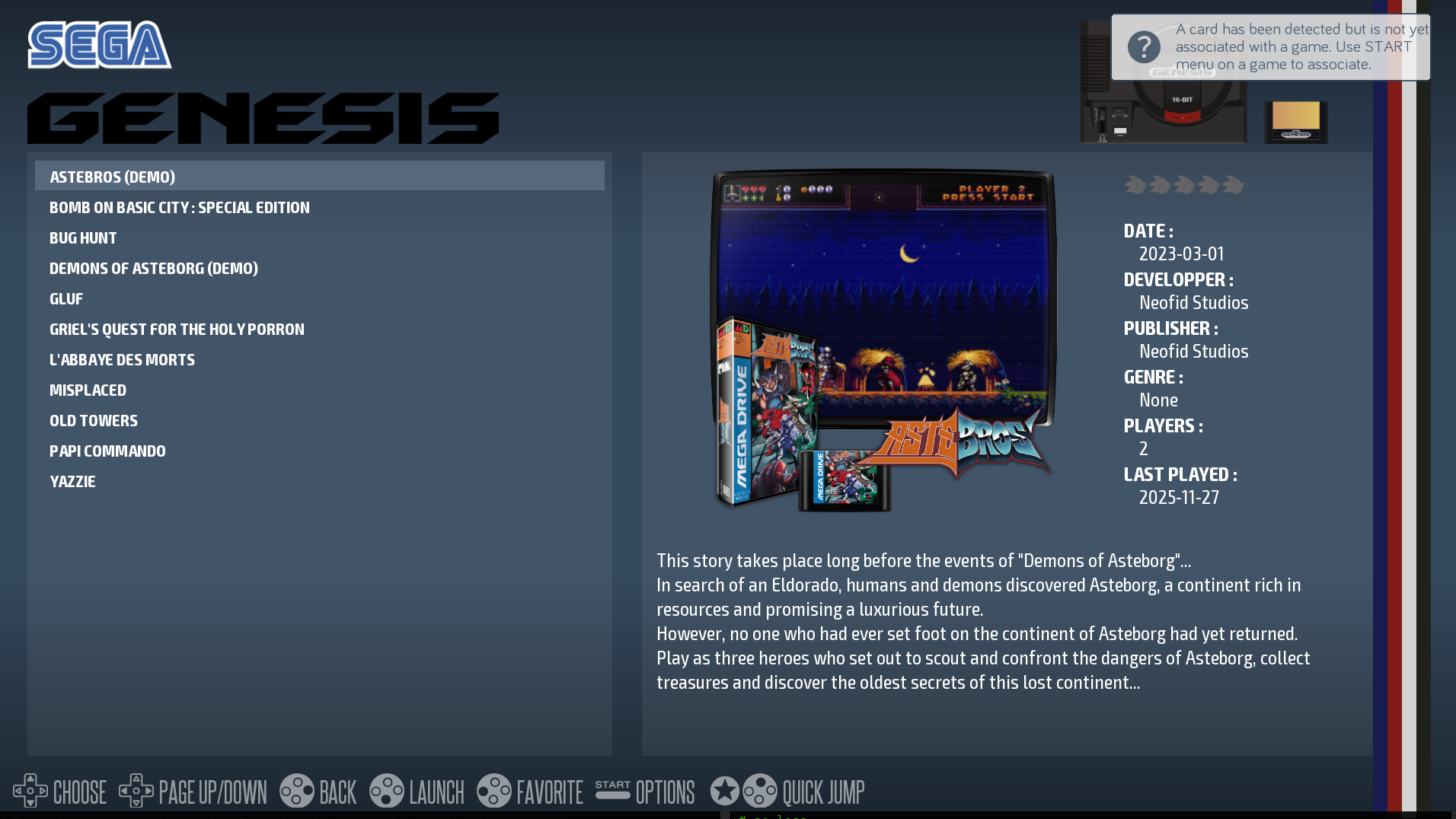
From the Recalbox menu, press START on a game to associate it with a card.
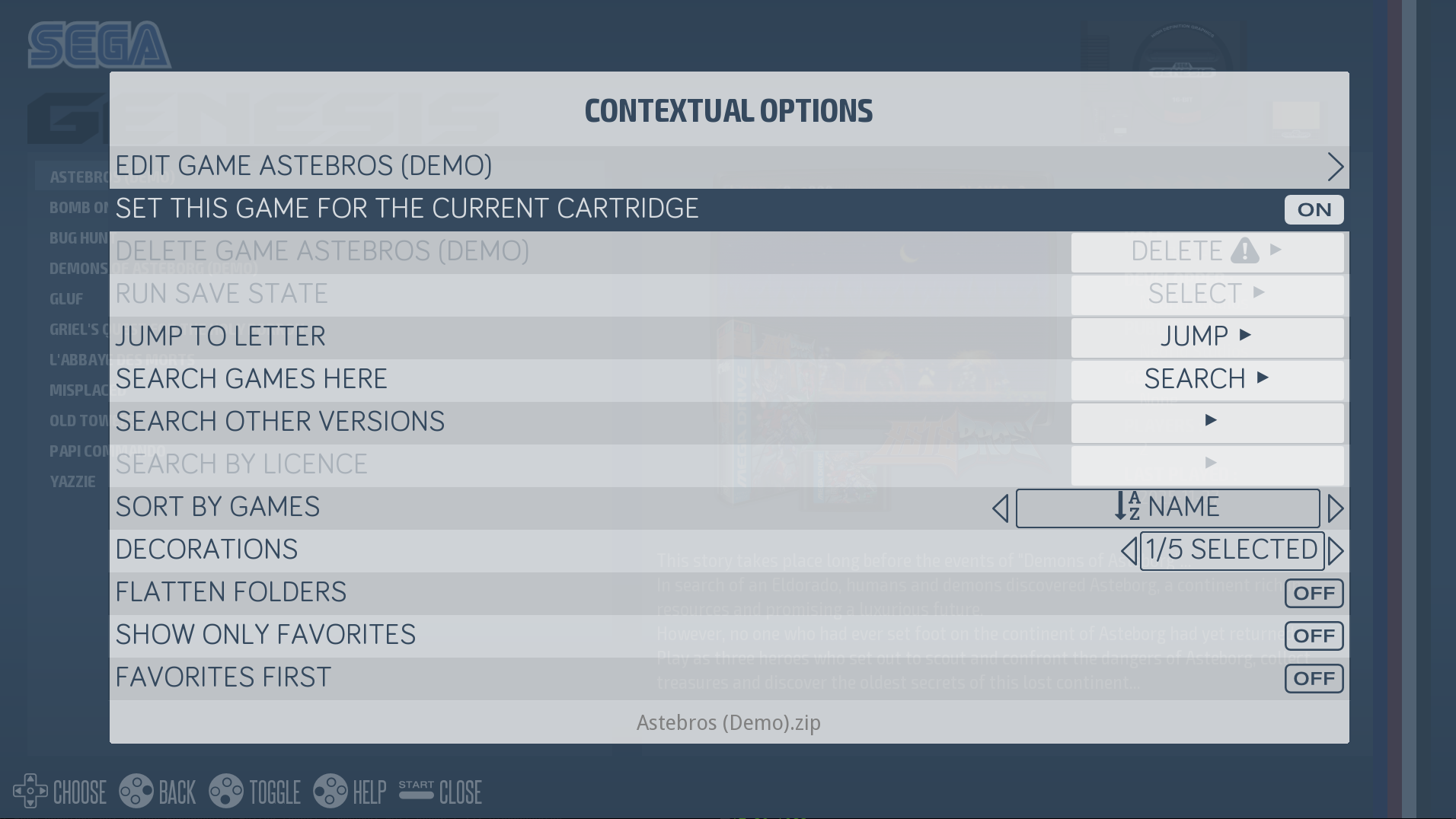
You can associate two games per card: one for the front and one for the back.
If you want to change the game associated with a card, simply insert the card into the reader, exit the game with the controller (HOTKEY + START), and associate a new one with the START menu.
¶ Installation in a RecalTower
If you ordered your Card Reader as an add-on, you already have your RecalTower.
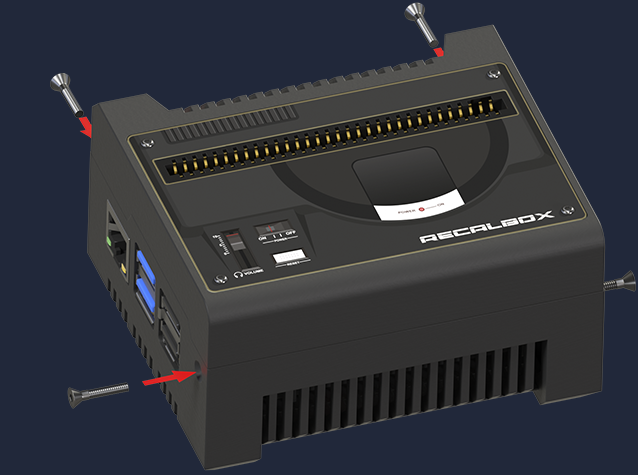
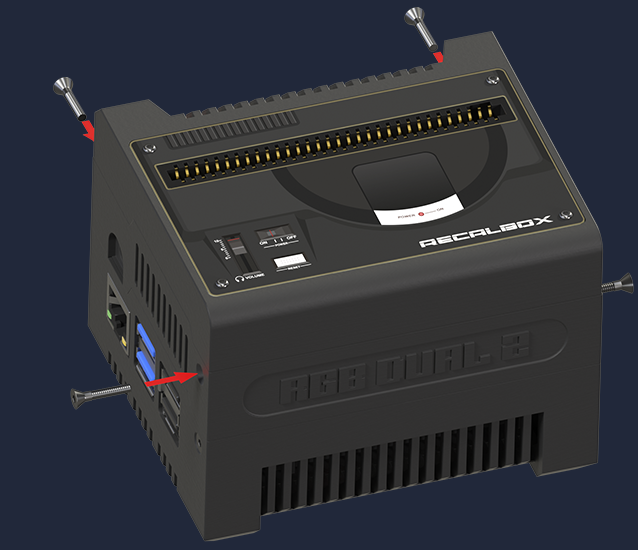
To mount the Card Reader floor on your RecalTower, simply:
- Place the 4 nuts in the slots provided for this purpose.
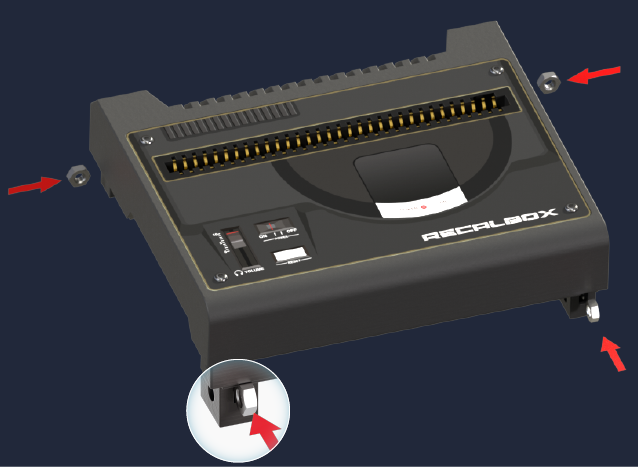
- Stack the Card Reader floor onto your RecalTower and use the countersunk screws provided to secure everything in place.
Version without RGB DUAL 2:
Version with RGB DUAL 2:
Start Recalbox: the system detects and installs the Card Reader automatically!
¶ Console mode
Recalbox lets you enable Console mode in the RecalCards options. This mode shows a home screen instead of the usual Recalbox menu, from which you can only run the games linked to your RecalCards.
To enable Console mode, open the Recalbox menu by pressing START, then go to the RecalCards settings.
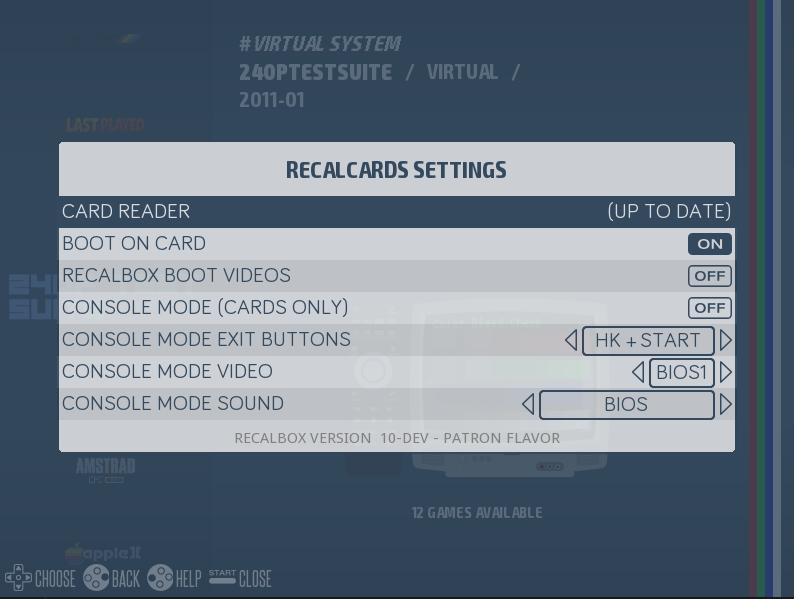
In this menu you can:
- enable/disable Console mode;
- enable/disable launching the game linked to a RecalCard that is inserted when you turn your Recalbox on;
- set the shortcut used to leave Console mode and return to the Recalbox menu (either the
HOTKEY+STARTcombination, or holding theSTARTbutton for 5 seconds); - set the background music for Console mode (Console mode music or Recalbox menu music).
Once Console mode is enabled, restart Recalbox to access it.
Console mode looks like this:
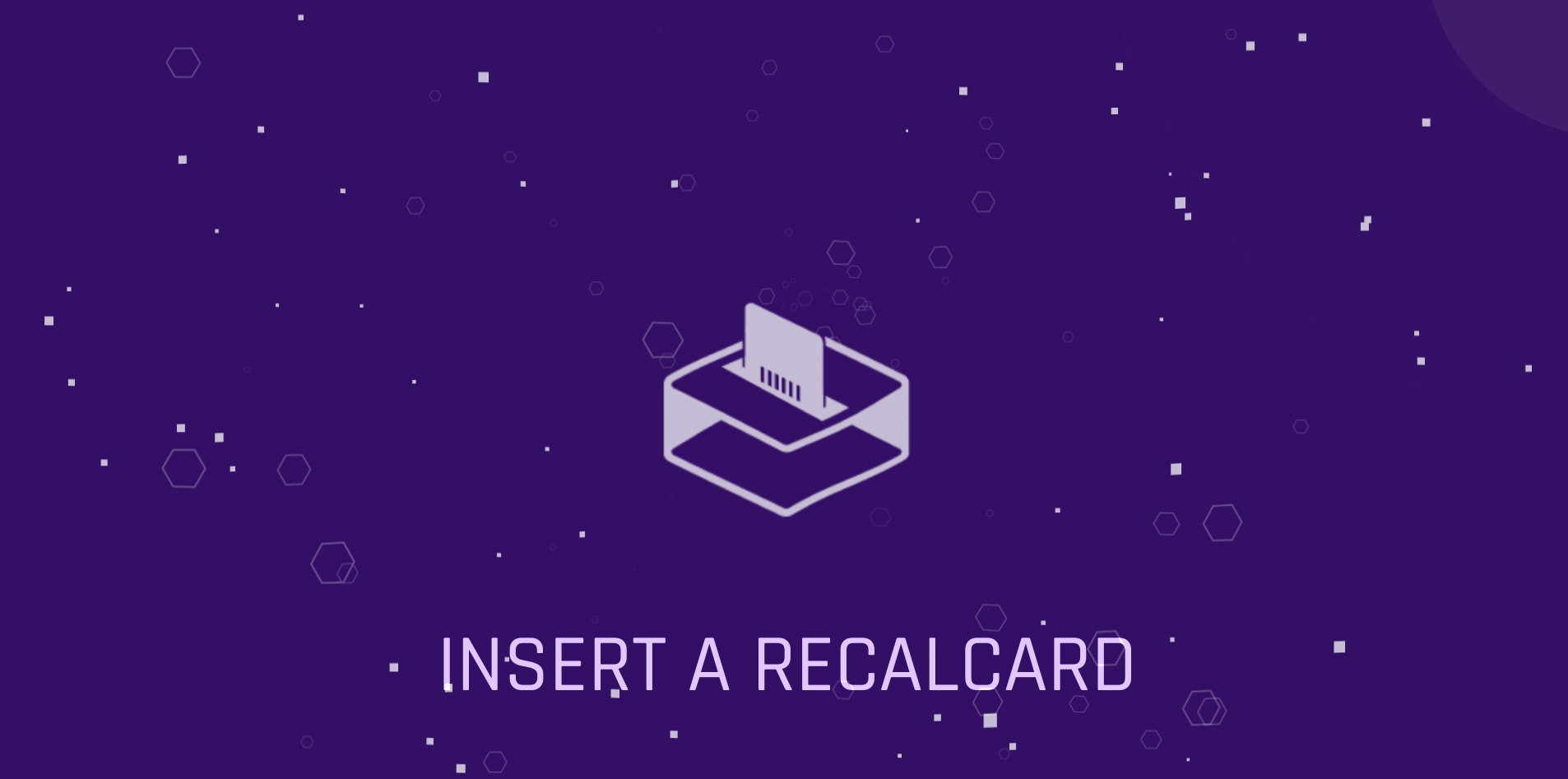
For the game to run, at least one controller must be connected to your Recalbox. All you have to do then is insert a RecalCard and play!
¶ RecalCard cartridge label generator
You have received your RecalCards and want to do better than writing the game name on the stickers, by putting the logos of your favourite games on them? A label generator is available at https://recalcards-gen.recalbox.com/.
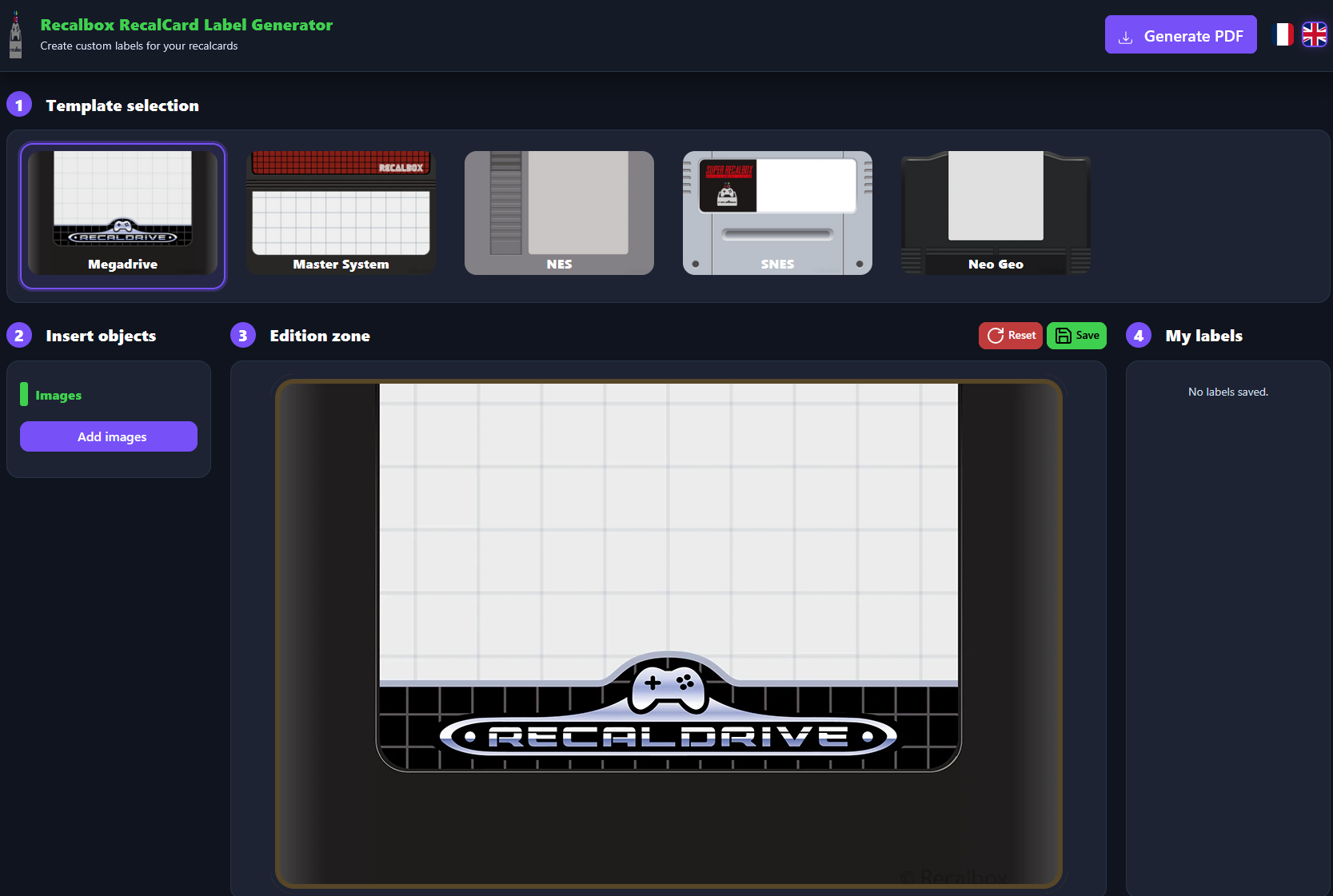
Here are the steps to use it:
- Select the template that matches your RecalCard.
- Import an image. Accepted formats: jpe, jpg, jpeg, gif, png, bmp, ico, svg, svgz, tif, tiff, ai, drw, pct, psp, xcf, psd, raw, webp, heic.
- Once the image is imported, adjust it to fit the cartridge template.
- Click the "Generate PDF" button to download the label as a PDF. All that is left is to print it.
¶ Where to get the Card Reader and RecalCards
From the official store: Recalbox Card Reader + 10 RecalCards.
¶ FAQ
For any question or suggestion, or to share your custom label designs, the #card-reader channel is available on the Recalbox Discord server.
- Do the cards contain games or ROMs?
- No, the cards simply contain an ID that gets associated with one of your games in Recalbox.
- Can I have two identical cards to launch a game?
- Each card has a unique ID printed on its back (MD 0001, for example). That ID can only be associated with one game, which is why the cards supplied with the Card Reader and the extra cards sold in the store do not share IDs.
- Why doesn't the game launch when I start Recalbox?
- If no controller is detected during boot, the game will not launch.
- How do I disable booting on the game associated with the card when my Recalbox starts?
- By disabling the
Allow Boot On Gameoption in the RecalCards settings (START→ RecalCards settings).
- By disabling the