Optical-media games (PlayStation, Saturn, Dreamcast, Mega-CD, PC Engine CD, 3DO…) take a huge amount of space in their original format. The CHD format (Compressed Hunks of Data), born in the MAME project, compresses them losslessly: the data stays intact, the file is typically half the size, and a single file replaces the dozen .bin files and their .cue.
It is the format to favour for your CD games on Recalbox: less space, fewer files, and more reliable scraping.
CHDMAN is not bundled with Recalbox: conversion happens on your computer, before you copy the games over. Recalbox itself reads
.chdfiles directly.
¶ What CHD does (and does not do)
- ✅ Compresses losslessly — you can always rebuild the original
.bin/.cuebyte for byte. - ✅ Merges a multi-track image into a single file.
- ✅ Also handles Dreamcast GDI and ISO.
- ❌ Does not replace companion files: for PlayStation games protected by LibCrypt, keep the
.sbifiles and put them next to the.chd, otherwise the games will not start. They can be re-downloaded from the matching disc page on Redump, next to the.cuefiles.
Always check the
_readme.txtfile in the rom folder of the system concerned: it lists the extensions actually accepted. Not every CD system supports CHD.
¶ Windows
¶ Getting chdman.exe
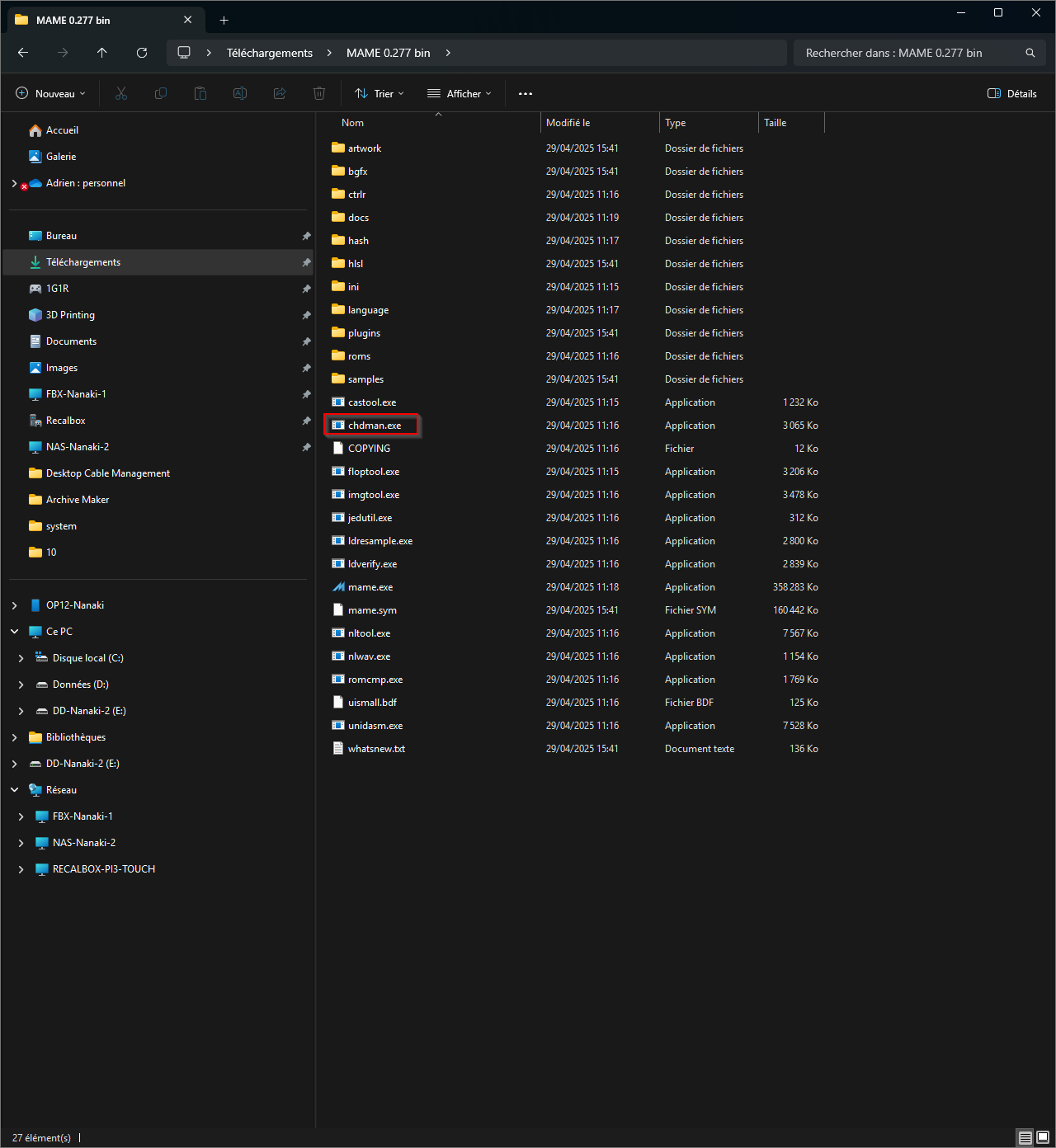
chdman.exe ships with MAME:
- Go to mamedev.org/release.html.
- Download the latest 64-bit release (for example
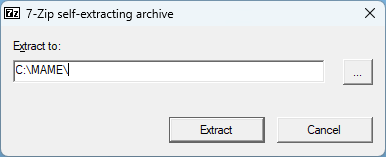
mame0278b_64bit.exe). - That file is a self-extracting archive: open it to extract its contents.
chdman.exeis among the extracted files.
Use a recent chdman: the speed gains from one version to the next are considerable. On a ten-track Mega-CD game, version 0.257 takes about 1 minute where 0.269 takes 35 seconds.
¶ Converting
CHDMAN is a command-line tool. The basic commands, from a command prompt in the folder holding chdman.exe:
:: BIN+CUE, GDI or ISO  ->  CHD
chdman createcd -i "mygame.cue" -o "mygame.chd"

:: CHD  ->  BIN+CUE
chdman extractcd -i "mygame.chd" -o "mygame.cue"

:: CHD  ->  GDI (Dreamcast)
chdman extractcd -i "mygame.chd" -o "mygame.gdi"
To process a whole folder in one go, ready-made .bat scripts circulate on the Recalbox Discord: they walk through every subfolder and create the .chd files next to the originals.
¶ macOS
CHDMAN is available through Homebrew, in the rom-tools formula (macOS 10.13 High Sierra minimum).
-
Install the Xcode command line tools:
xcode-select --install -
Install Homebrew:
/bin/bash -c "$(curl -fsSL https://raw.githubusercontent.com/Homebrew/install/HEAD/install.sh)"On an Apple Silicon Mac, then add:
echo 'eval $(/opt/homebrew/bin/brew shellenv)' >> ~/.zprofile -
Install
rom-tools:brew install rom-tools
The commands are then identical to the Windows ones (chdman createcd …).
¶ Linux
CHDMAN is provided by the mame-tools package on most distributions:
sudo apt install mame-tools     # Debian, Ubuntu
sudo dnf install mame-tools     # Fedora
¶ Converting a whole folder
find . -name "*.cue" -exec chdman createcd -i {} -o {}.chd \;
Or, more cleanly, with a proper output name:
for f in *.cue; do chdman createcd -i "$f" -o "${f%.cue}.chd"; done
¶ After converting
- Check that each
.chdactually starts before deleting the original files. - Copy the
.chdfiles into the rom folder of the system concerned, keeping any.sbifiles alongside them. - Refresh the gamelist:
START→SYSTEM-LISTS & GAMELISTS SETTINGS→UPDATE GAMELIST.
CHD is also used in arcade: some MAME machines need a
.chdfile in addition to their rom, stored in a folder named exactly after the rom. See Arcade in Recalbox.