A case "supported" by Recalbox is more than a shell: power button with safe shutdown, regulated fan, built-in screen configured on its own… Here is the list, machine by machine, with how each one is handled.
¶ How Recalbox handles cases
- Automatic detection: the case is recognized at boot, nothing to do.
- Manual selection: declare the case in
MAIN MENU→ADVANCED SETTINGS→CASE MANAGEMENT, then let the console reboot to install its support.
On Retroflag cases, safe shutdown requires the SAFE SHUTDOWN switch (inside the case, on the electronics) to be set to ON.
¶ Raspberry Pi 5
| Case | Support | Notes |
|---|---|---|
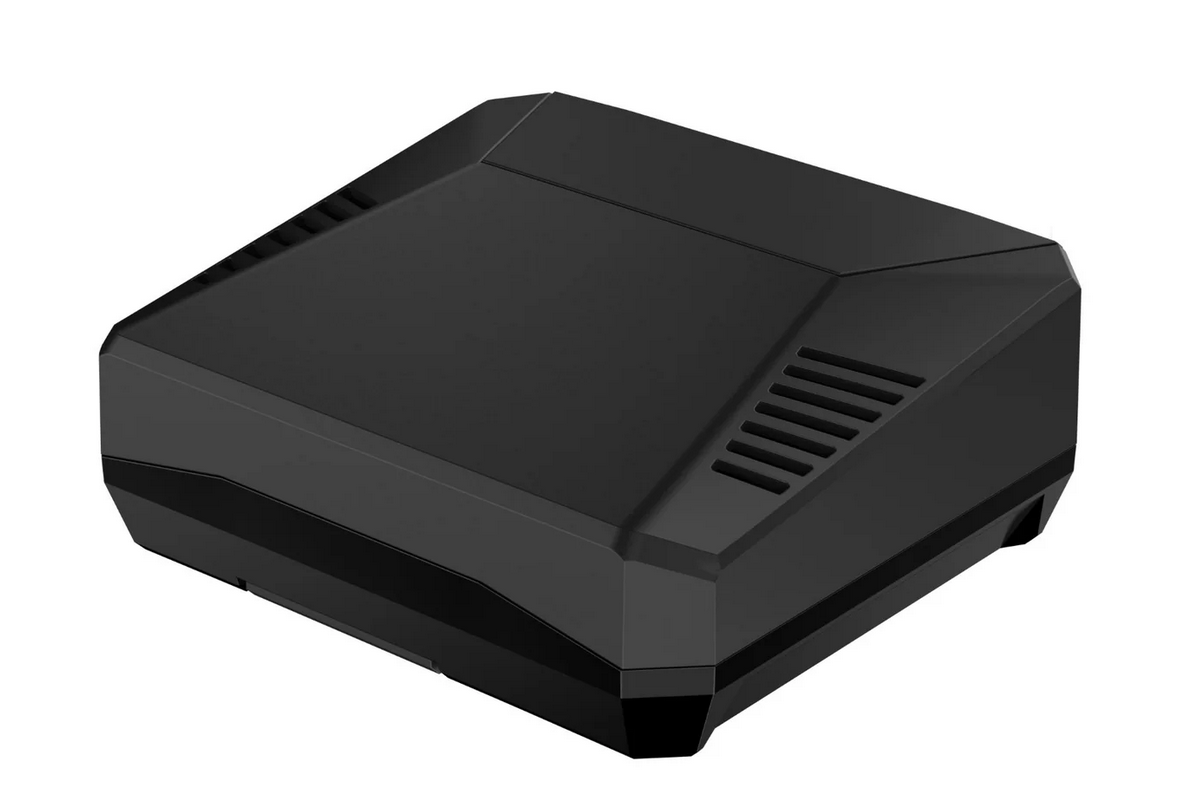
| Argon One V3 | Select in CASE MANAGEMENT |
Power button and fan handled |
| 64Pi Case (Retroflag) | Select in CASE MANAGEMENT |
|
| DreamCase (Retroflag) | Select in CASE MANAGEMENT |
|
| Official touch display | Select in CASE MANAGEMENT |
¶ Raspberry Pi 4 and Compute Module 4
| Case | Support | Notes |
|---|---|---|
| GPi Case 2 (CM4) | ✅ Automatic detection | Retroflag handheld — see GPi Case 2 + Dock |
| PiBoy DMG (Experimental Pi) | ✅ Automatic detection | Screen, battery and fan handled |
| PiBoy XRS (Experimental Pi) | ✅ Automatic detection | Experimental Pi's second model |
| NESPi 4 Case (Retroflag) | ✅ Automatic detection | Manual selection available as fallback |
| PiStation (Retroflag) | Select in CASE MANAGEMENT |
Works with the PiStation LCD screen |
| SuperPi 4 Case (Retroflag) | Select in CASE MANAGEMENT |
|
| Argon One | Select in CASE MANAGEMENT |
Power button and fan handled |
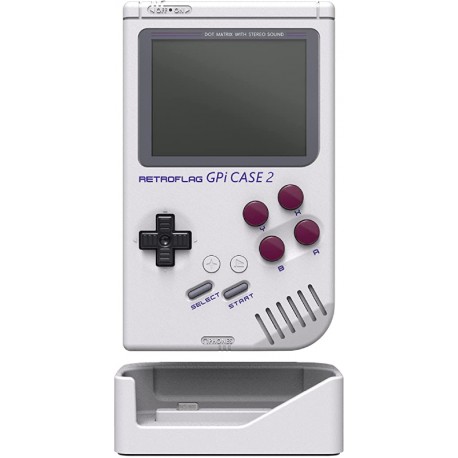
GPi Case 2 + CM4 with eMMC: not recommended. By design (Raspberry Pi Foundation), the CM4's eMMC disables the case's microSD reader — you would only be able to install Recalbox on the eMMC.
¶ Raspberry Pi Zero 2
| Case | Support | Notes |
|---|---|---|
| GPi Case 2W (Retroflag) | ✅ Automatic detection | The Zero 2 version of the GPi Case 2 — screen driven by the Recalbox kernel |
¶ Raspberry Pi 3
| Case | Support | Notes |
|---|---|---|
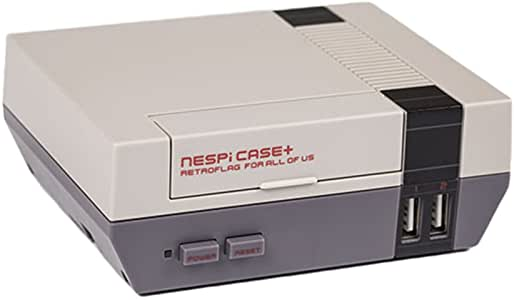
| NESPi Case+ (Retroflag) | Select in CASE MANAGEMENT |
|
| SuperPi Case (Retroflag) | Select in CASE MANAGEMENT |
J (Japanese) and U (American) versions |
| MegaPi Case (Retroflag) | Select in CASE MANAGEMENT |
¶ Official Raspberry Pi Touch Display
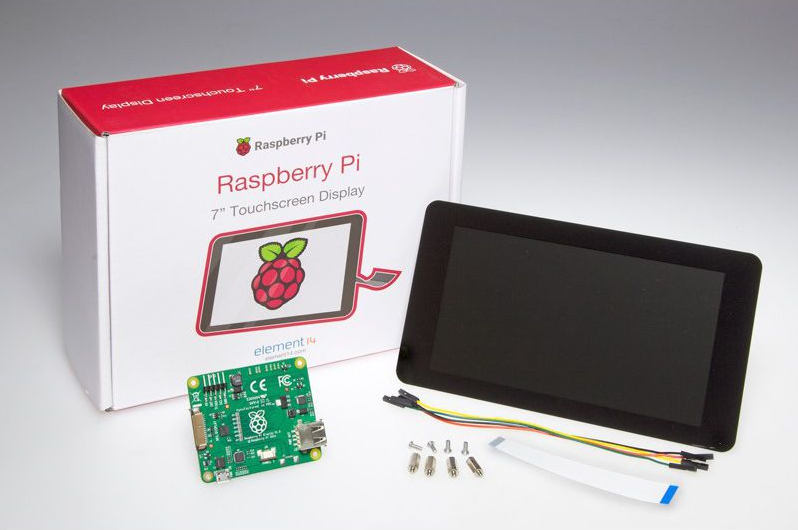
The Raspberry Pi Touch Display (DSI ribbon) is supported on Pi 3 and Pi 4: enable it through CASE MANAGEMENT if needed.
Plug in an HDMI screen to perform the initial activation of the DSI display.
¶ What about other cases?
- Consoles: the Nuxii handheld is also automatically detected. On PC, the Steam Deck is handled natively — see compatible PCs.
- Passive cases: any case without electronics (generic fan shells, 3D prints…) works without declaring anything — an eventual fan then runs continuously, wired to the 5 V GPIO pins.
¶ Unsupported cases
- The GPi Case v1 (Pi Zero/Zero W/Zero 2) is no longer supported by Recalbox 10 — last compatible version: 9.2.3. See the dedicated page. - The OGST case for Odroid XU4 follows the machine's fate: XU4 support ended with Recalbox 10.
A case with electronics that is not listed here will get neither safe shutdown nor fan regulation — it may still work in "dumb" mode. Share your tests on the Recalbox Discord.