This page describes Recalbox 11.0, available only to patrons through the
patronchannel.
Recalbox TV is Recalbox's media center: films, TV series, live channels and on-demand video in one place, driven with a gamepad. It replaces Kodi, which is no longer shipped.
It is there on every machine: Raspberry Pi (Zero 2, 3, 4/400, 5/500), PC and handhelds (Odroid Go, RG353…).
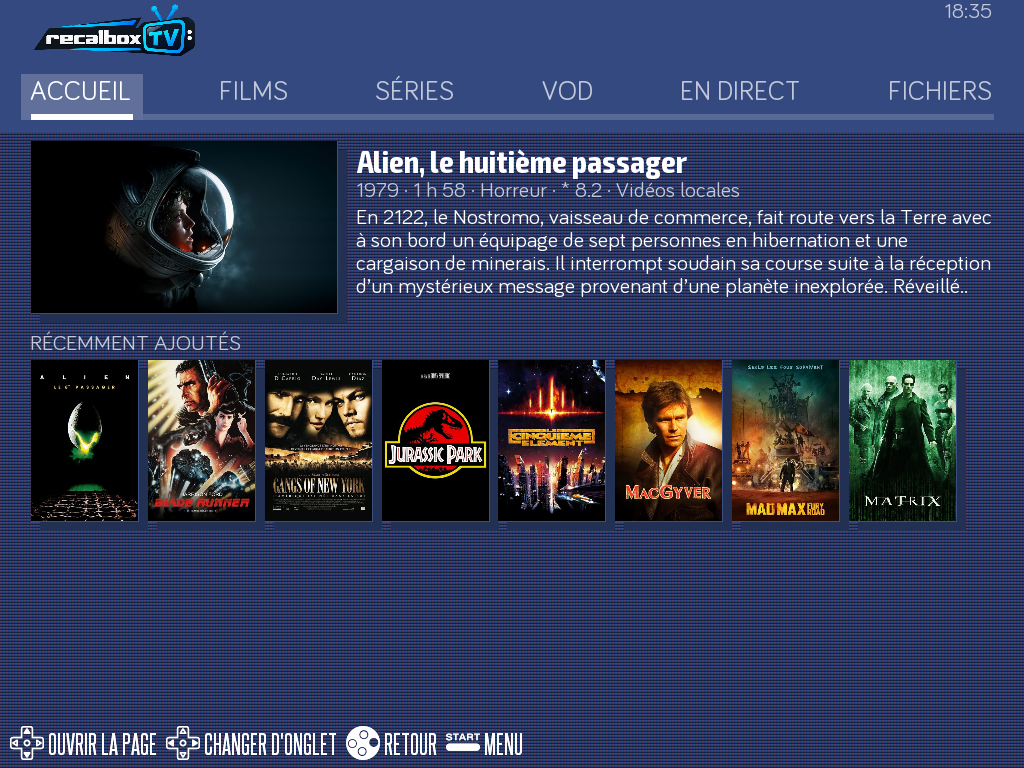
¶ Opening Recalbox TV
Two roads lead to the same place:
- Press
STARTto open theMAIN MENU, then pickRECALBOX TV(OPEN) — it is the first entry. - Or select the recalbox TV system in the system list.
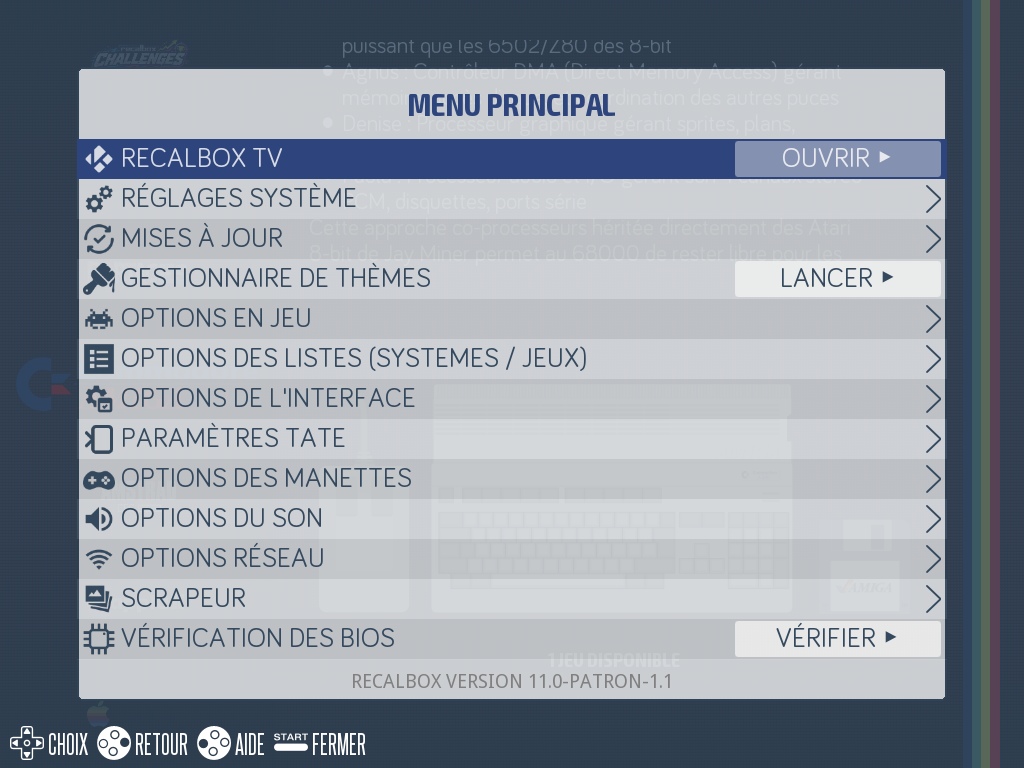
Unlike Kodi, Recalbox TV does not replace EmulationStation: it is the same application, and the A button takes you back to the games.
¶ The tabs
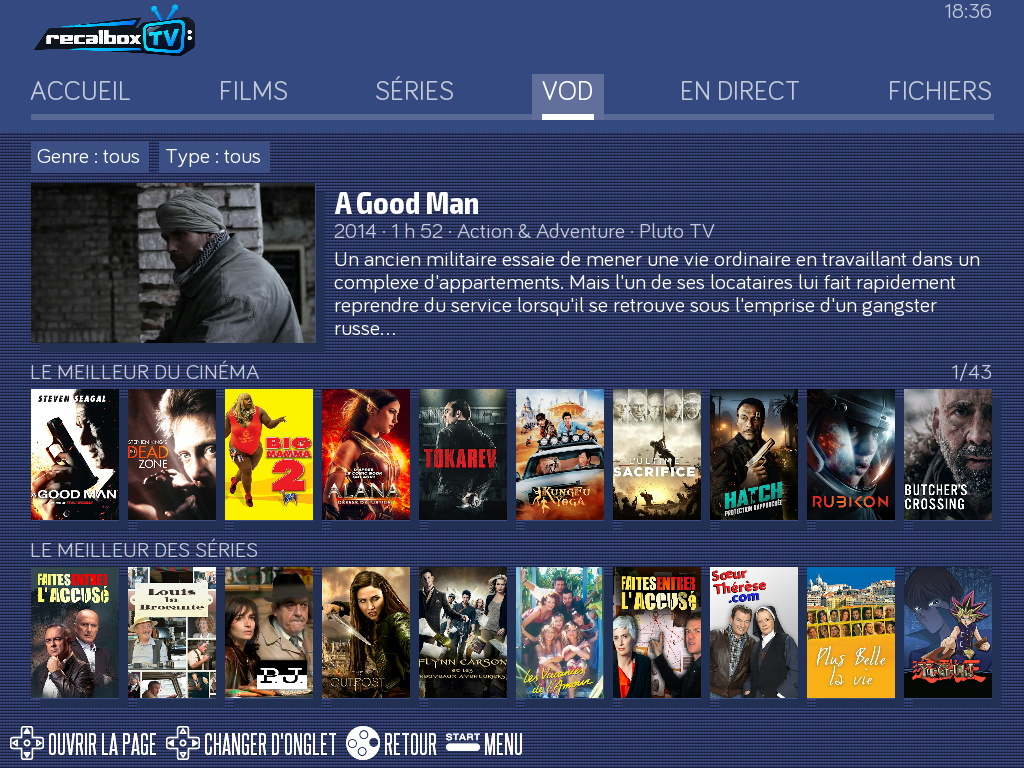
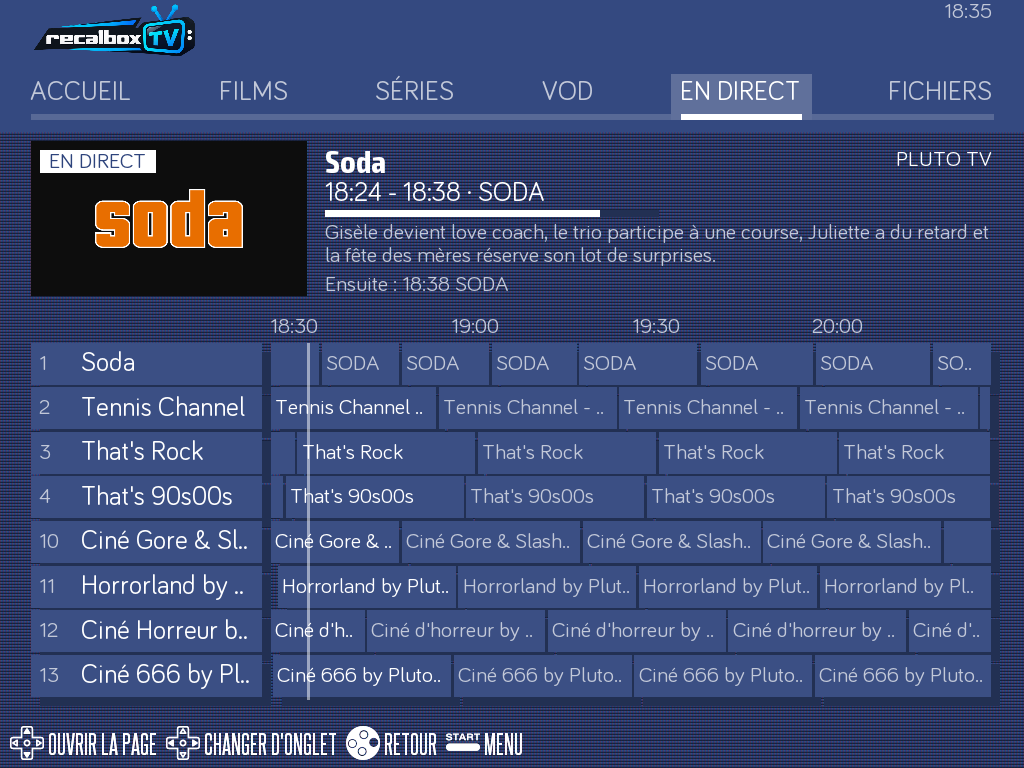
| Tab | What it holds |
|---|---|
HOME |
Resume watching, recent additions, suggestions |
MOVIES |
Your film library, sorted by genre, decade and source |
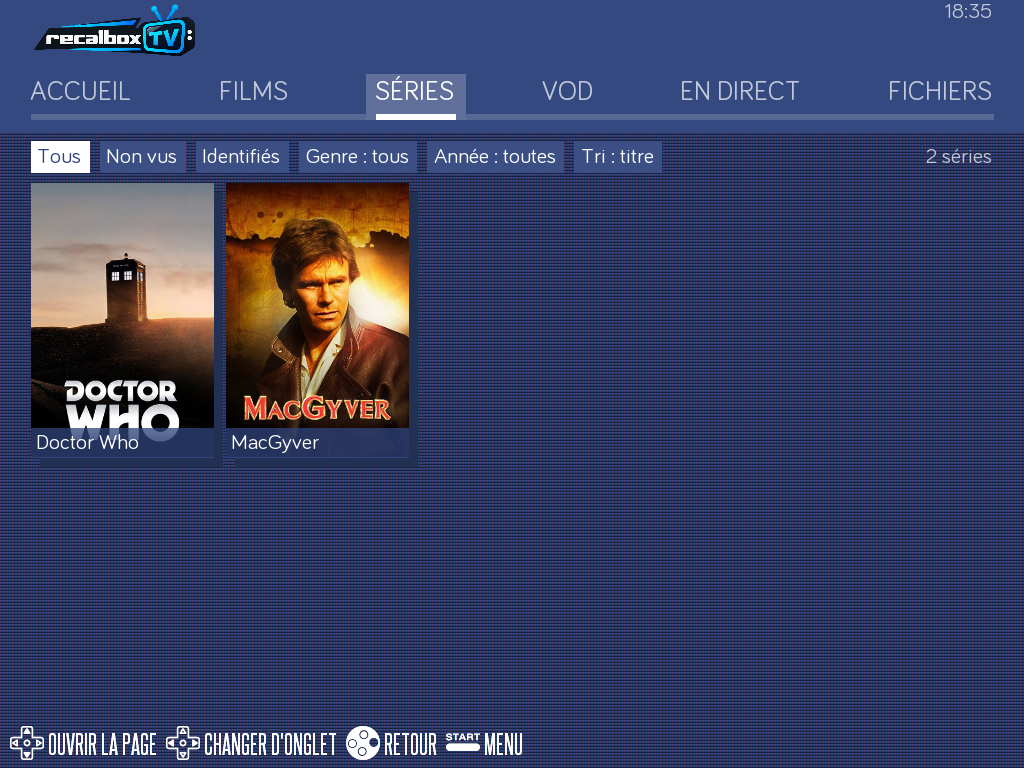
SERIES |
Your shows, season by season |
VOD |
On-demand catalogues (Crunchyroll, Pluto TV…) |
LIVE |
Channels: Pluto TV, IPTV, Freebox |
FILES |
Your videos as they are, with no library |
Left and right on the D-pad change tab.
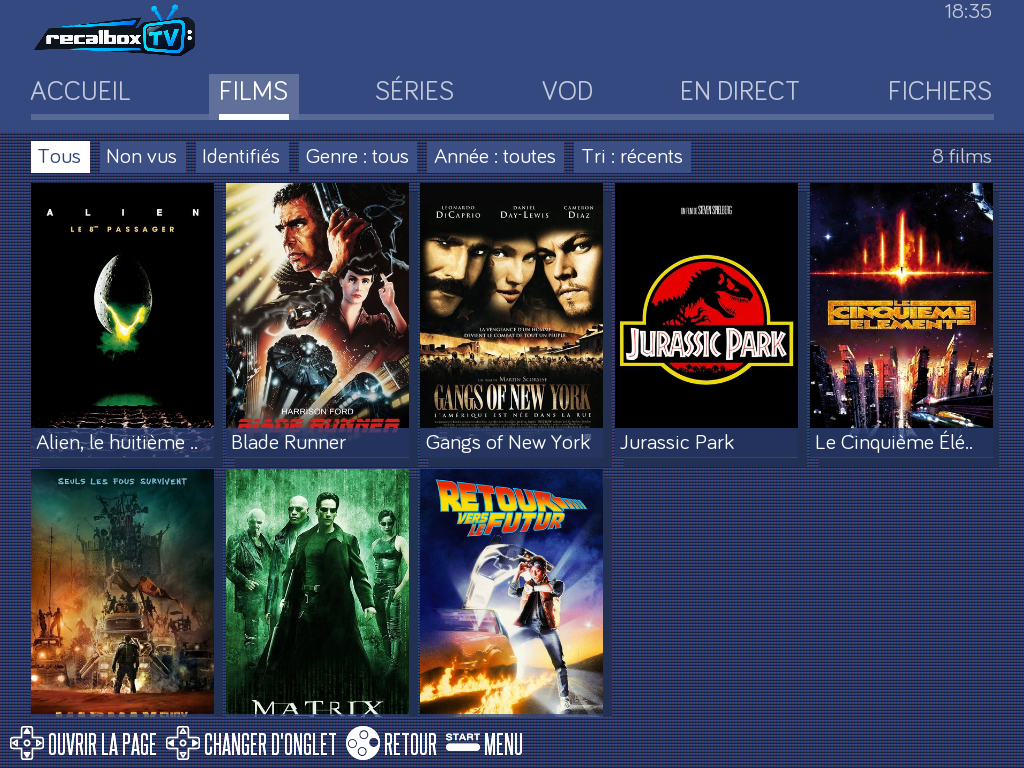
Each tab has its own filters: seen or not, identified or not, genre, year, sorting.
¶ Adding a source
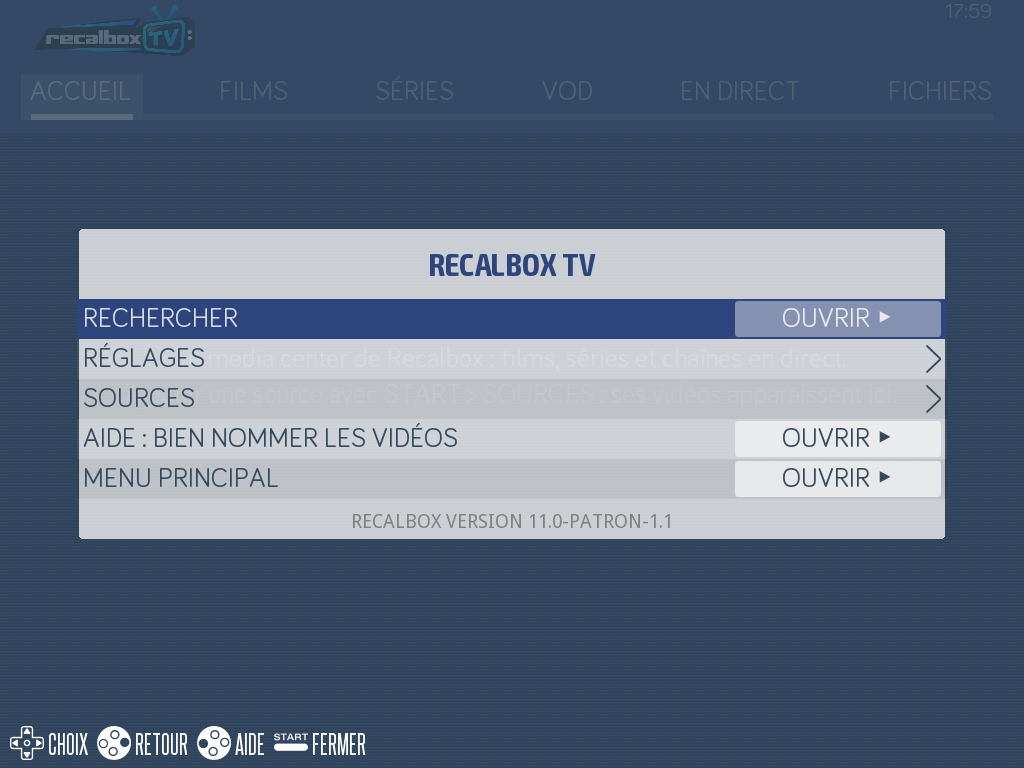
Until a source is declared, the home page is empty and says so: "Add a source with START > SOURCES: its videos appear here."
- From Recalbox TV, press
START. - Choose
SOURCES. - Select
ADD A SOURCE.
Recalbox TV searches your network on its own: the shares and media servers it finds appear under ▼ FOUND ON THE NETWORK, ready to add. The others are declared by hand.
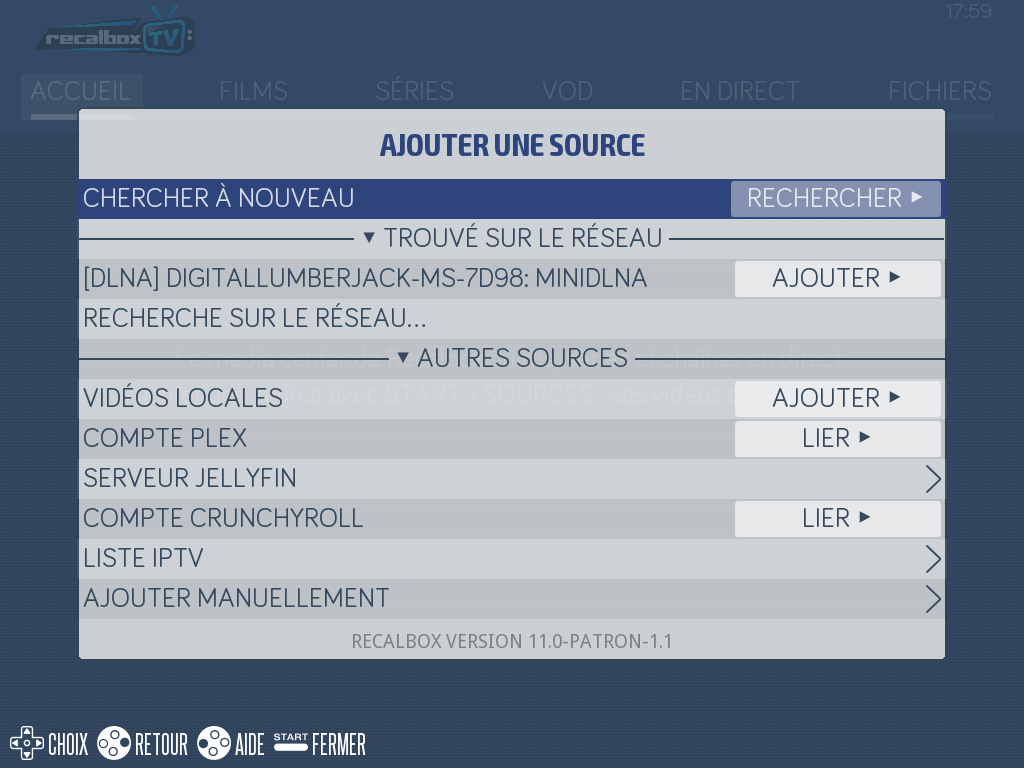
| Source | What it is |
|---|---|
LOCAL VIDEOS |
The videos folder of your share, and plugged USB drives |
| Network shares | Your shared SMB and NFS folders, found automatically |
| DLNA/UPnP servers | The media servers on your network (NAS, ISP box…) |
JELLYFIN SERVER |
A Jellyfin server, by its address |
PLEX ACCOUNT |
A Plex account, to link |
CRUNCHYROLL ACCOUNT |
A Crunchyroll account, to link |
IPTV PLAYLIST |
A channel list, by its URL |
ADD MANUALLY |
An address the search did not find |
Pluto TV is already there, with nothing to set up.
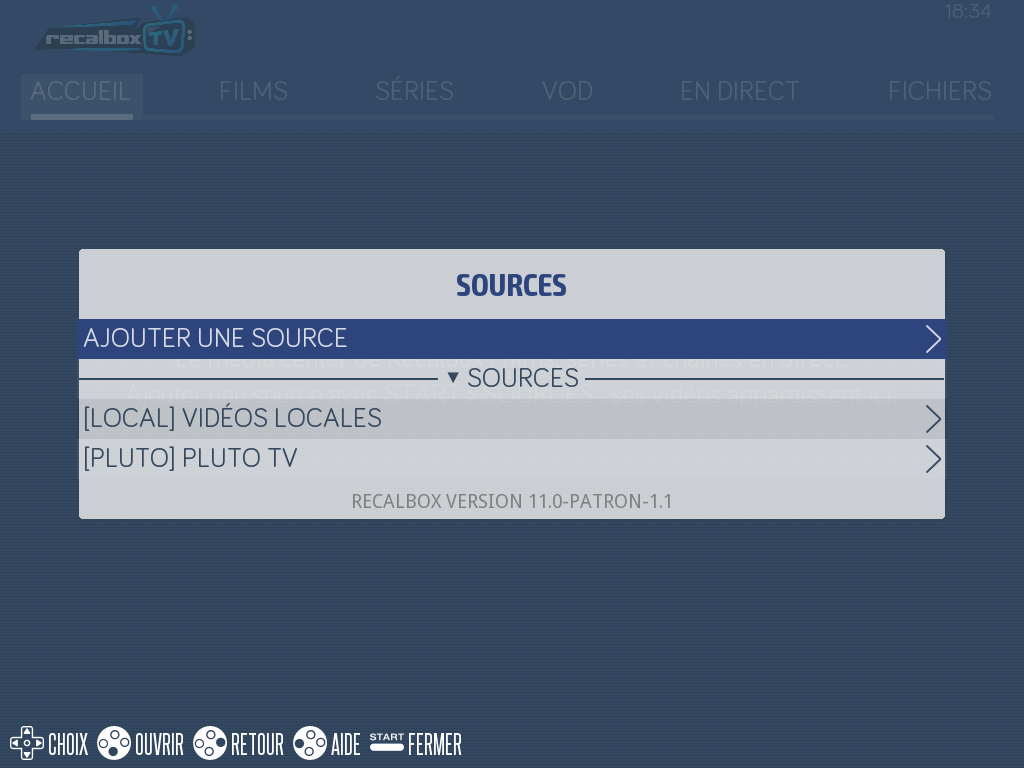
Live TV from a Freebox is recognised, with its programme guide. On Raspberry Pi 5/500 only, the Twitch channels you follow show up live: it is the one machine whose image ships the web engine this needs.
¶ Putting your videos on the Recalbox
Drop your files in the videos folder of your share, through the share network share or on a USB stick, then add the LOCAL VIDEOS source.
¶ Naming your files well
The file name is what finds the poster, the plot and the cast. Recalbox TV recalls these rules under START → NAMING THE VIDEOS.
Films
Title (Year):Gangs of New York (2002).mkv- Without the year too:
Gangs of New York.mkv— but the year helps find the right film. - With dots or dashes:
The.Matrix.1999.mkv,Gangs-of-New-York-2002.mkv - In several files:
The Matrix (1999) CD1.mkv,The Matrix (1999) CD2.mkv
TV series
- A folder per show, one per season:
MacGyver/Season 01/MacGyver S01E02.mkv - With dots or dashes:
MacGyver.S01E02.mkv,MacGyver-S01E02.mkv - Also read:
MacGyver 1x02.mkv - Two shows of one name:
Doctor Who (2005)/Season 01/Doctor Who S01E01.mkv— the year tells them apart. - Specials and pilots:
MacGyver S00E01.mkv
Folders
- Any video in a
filmsormoviesfolder, or in their subfolders, is taken as a film. - Any video in a
seriesortv showsfolder, or in their subfolders, is taken as an episode. - A video in the wrong place: the source's
CONTENToption sorts all of it as Films or Series.
The metadata comes from TMDB and TheTVDB.
¶ Formats played
.mkv .mp4 .m4v .avi .mov .webm .ts .m2ts .mts .mpg .mpeg .wmv .flv .ogv .3gp .vob
¶ Settings
START → SETTINGS.
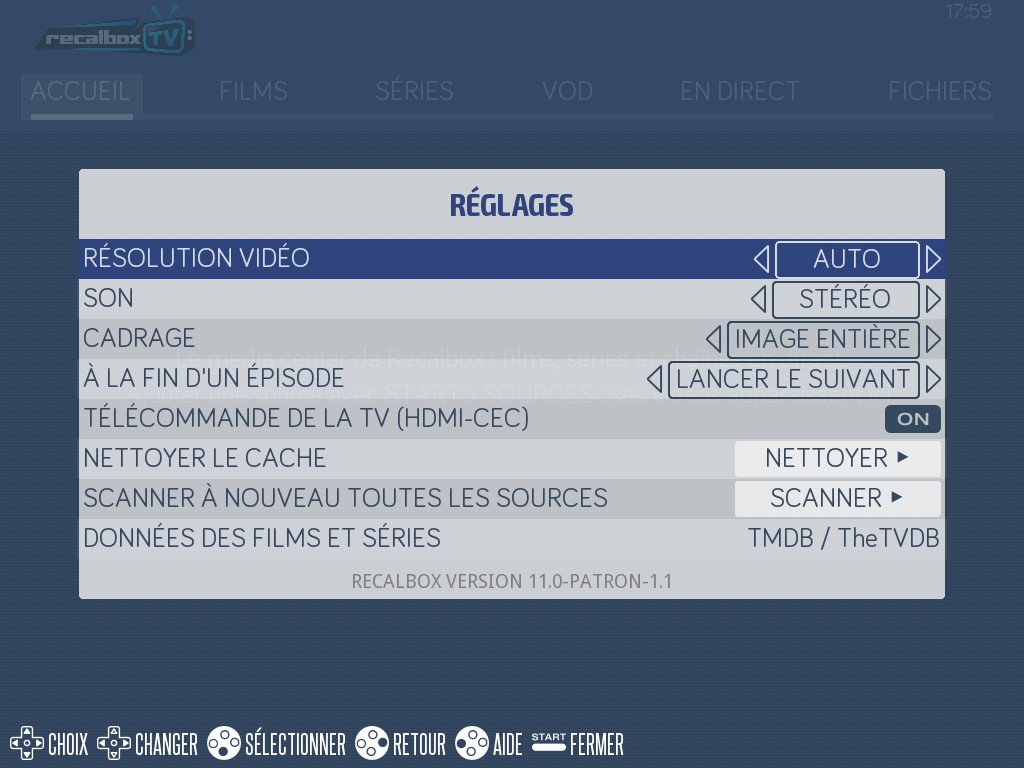
| Setting | Default | Effect |
|---|---|---|
VIDEO RESOLUTION |
AUTO |
The playback resolution |
SOUND |
STEREO |
Stereo or multichannel sound |
FRAMING |
WHOLE PICTURE |
Keep the black bars or fill the screen |
AT THE END OF AN EPISODE |
PLAY NEXT |
Carry on or stop |
TV REMOTE (HDMI-CEC) |
ON |
Drive Recalbox with the television's remote |
CLEAN THE CACHE |
— | Empties the kept posters and metadata |
SCAN EVERY SOURCE AGAIN |
— | Takes the inventory again from scratch |
FILM AND SHOW DATA |
TMDB / TheTVDB |
Where the posters and summaries come from |
Films keep their own rate. Over HDMI it is automatic. On a CRT, a setting offers a film mode when the screen has one: 1, 2 or 3 fields per frame — 24, 48 or 72 Hz — with 48 Hz on an RGB Dual.
¶ Searching
START → SEARCH queries your library, Pluto TV and Crunchyroll in one go.
¶ Driving it with the television's remote
If your television supports HDMI-CEC, its remote drives Recalbox over the HDMI cable, with nothing else to plug in. The setting is on by default.
¶ What about Kodi?
Kodi is no longer shipped in Recalbox 11.0. Its pages stay online for the 10.x versions: