Overlays (also called bezels) are illustrations that "dress up" your screen while playing: they fill the black bars left on both sides of a 4:3 game displayed on a 16:9 screen, instead of stretching the picture.
Recalbox ships an overlay for more than 90 systems, displayed automatically whenever the conditions are right.
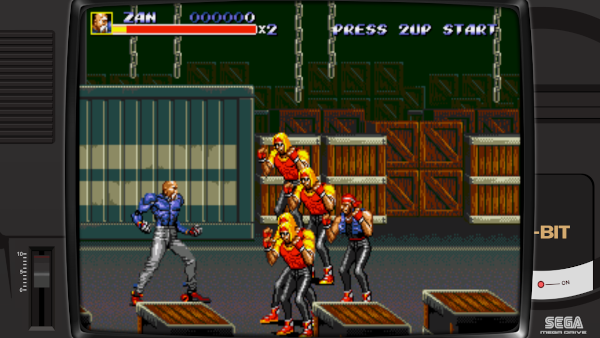
Overlays only work with Libretro (RetroArch) emulators. So-called "standalone" emulators are not concerned.
¶ New in 10.1 — handheld consoles
For handheld consoles (Game Boy, Game Boy Color/Advance, Game Gear, Lynx, Neo-Geo Pocket, PSP, WonderSwan…), the overlay pictures the console itself and the game is automatically framed inside the console's screen: Recalbox detects the transparent window of the image and fits the display into it, pixel-perfect. Recalbox 10.1 fixes the framing of these handheld overlays.
¶ Enabling or disabling Recalbox overlays
The built-in overlays are enabled by default. To change this:
- Press
STARTto open theMAIN MENU, then enterIN-GAME SETTINGS. - In the
GAMES RENDERINGsection, toggle theRECALBOX OVERLAYSswitch ("On wide screens, display system images that wrap around emulated screen.").
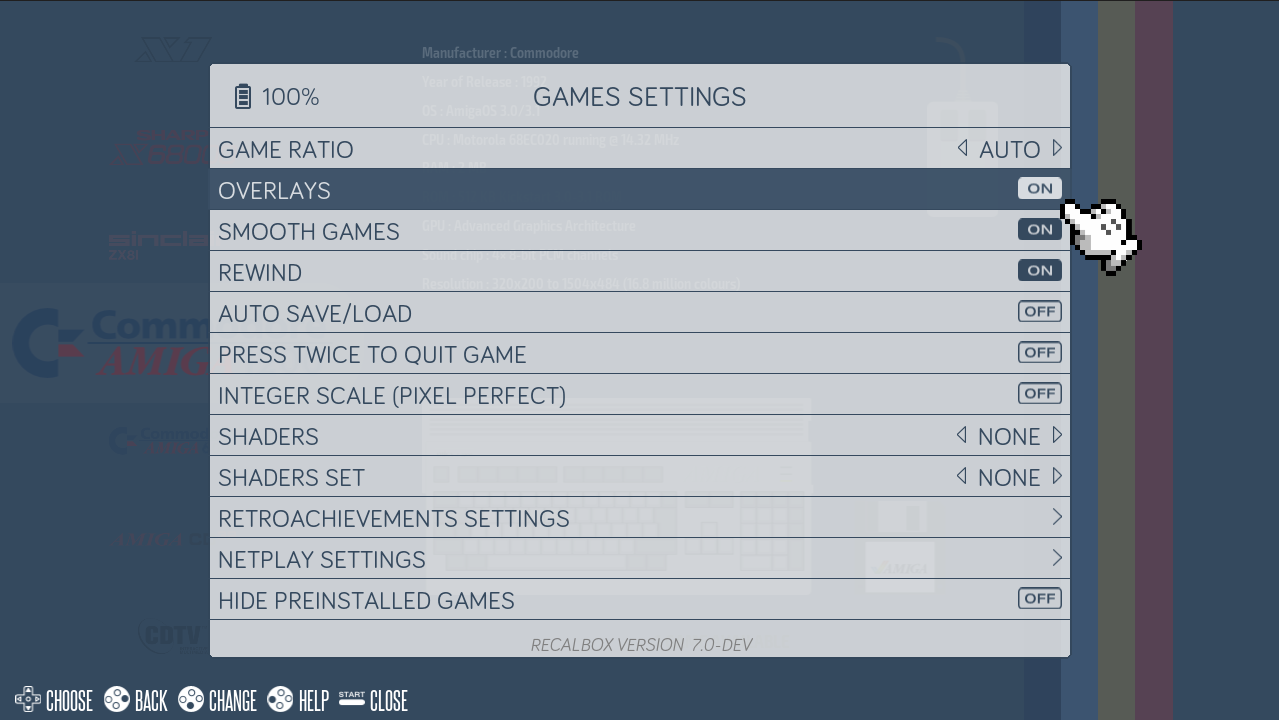
The setting is also available in the Web Manager (Emulation → global options) and in recalbox.conf:
## Enable/disable Recalbox overlays everywhere (enabled by default)
global.recalboxoverlays=1
And for a single system (manual edit of recalbox.conf only):
## Disable Recalbox overlays for the SNES only
snes.recalboxoverlays=0
¶ When do overlays show up?
An overlay is only applied when the game image leaves room for the decoration. No overlay is displayed if:
- your screen is not a wide screen (16:9 or 16:10) — the built-in overlays are designed for 1080p;
- you forced the game ratio (
GAME RATIO) to 16:9 or 16:10, or enabled the widescreen mode — the game then fills the whole screen; - you play in TATE mode (vertical screen), in Super Game Boy mode, or on a CRT screen.
¶ Adding your own overlays
Many overlay packs exist, some even offering one overlay per game. Copy the pack's folders into the overlays directory of your SHARE partition:
┣ 📁 recalbox
┃ ┣ 📁 share
┃ ┃ ┣ 📁 overlays
┃ ┃ ┃ ┣ 📁 megadrive
┃ ┃ ┃ ┃ ┣ 🗒 megadrive.cfg
┃ ┃ ┃ ┃ ┣ 🗒 megadrive_overlay.cfg
┃ ┃ ┃ ┃ ┣ 🖼 megadrive.png
┃ ┃ ┃ ┣ 📁 snes
┃ ┃ ┃ ┃ ┣ 🗒 …
Recalbox looks, in order, and stops at the first one found:
- An overlay for the game:
overlays/<system>/<game file>.cfg— the full rom file name, extension included, followed by.cfg. Example:overlays/megadrive/Sonic The Hedgehog (World).zip.cfg. - An overlay for the system:
overlays/<system>/<system>.cfg. Example:overlays/megadrive/megadrive.cfg. - The built-in Recalbox overlay for the system (if the
RECALBOX OVERLAYSoption is on).
Your custom overlays therefore always take priority over Recalbox's.
The main
.cfgfile points to a<name>_overlay.cfgfile, which itself points to the.pngimage. If you create your own, copy the structure of an existing overlay and adjust the paths.
¶ Resources: overlay packs
A few ready-to-use packs (thanks to serviettzky):
- Systems pack (32 MB): MEGA | Google Drive
- Arcade pack (6.69 GB): MEGA | Google Drive
- Handheld pack (14.44 MB): MEGA | Google Drive
¶ Frequently asked questions
I enabled the option but no overlay shows up? Check the conditions above: 16:9 screen in 1080p, game ratio not forced to 16:9/16:10, Libretro emulator.
An installed pack does not show for one game? Check the .cfg file name: it must match the rom's file name exactly, extension included (MyGame.zip.cfg), inside the right system folder.
How do I get the original overlays back? Delete (or move away) your files from share/overlays/<system>: the Recalbox overlays immediately take over again.