On PlayStation, saves do not live in the game but on a memory card — a file, as far as emulation is concerned. This page explains where those files are, how to add a second card, and how to import saves coming from elsewhere.
¶ Where are my saves?
With the Libretro cores (PCSX-ReARMed, Beetle PSX, SwanStation), memory cards and save states live in:
/recalbox/share/saves/psx/
The port 1 memory card is named after the game, with the .srm extension. With DuckStation as a standalone emulator, cards live in a dedicated subfolder:
/recalbox/share/saves/psx/duckstation/memcards/
Back this folder up regularly: it is the only place your progress lives.
¶ Enabling the second memory card
Some games need a second card to copy or import data. Unlike the first one, it is shared by every game.
- Launch any PlayStation game.
- Open the RetroArch menu with
HOTKEY+B, then enterOptions(the core options). - Enable the
Enable second memory cardoption. - Leave the menu, then quit and relaunch the game for the card to be taken into account.
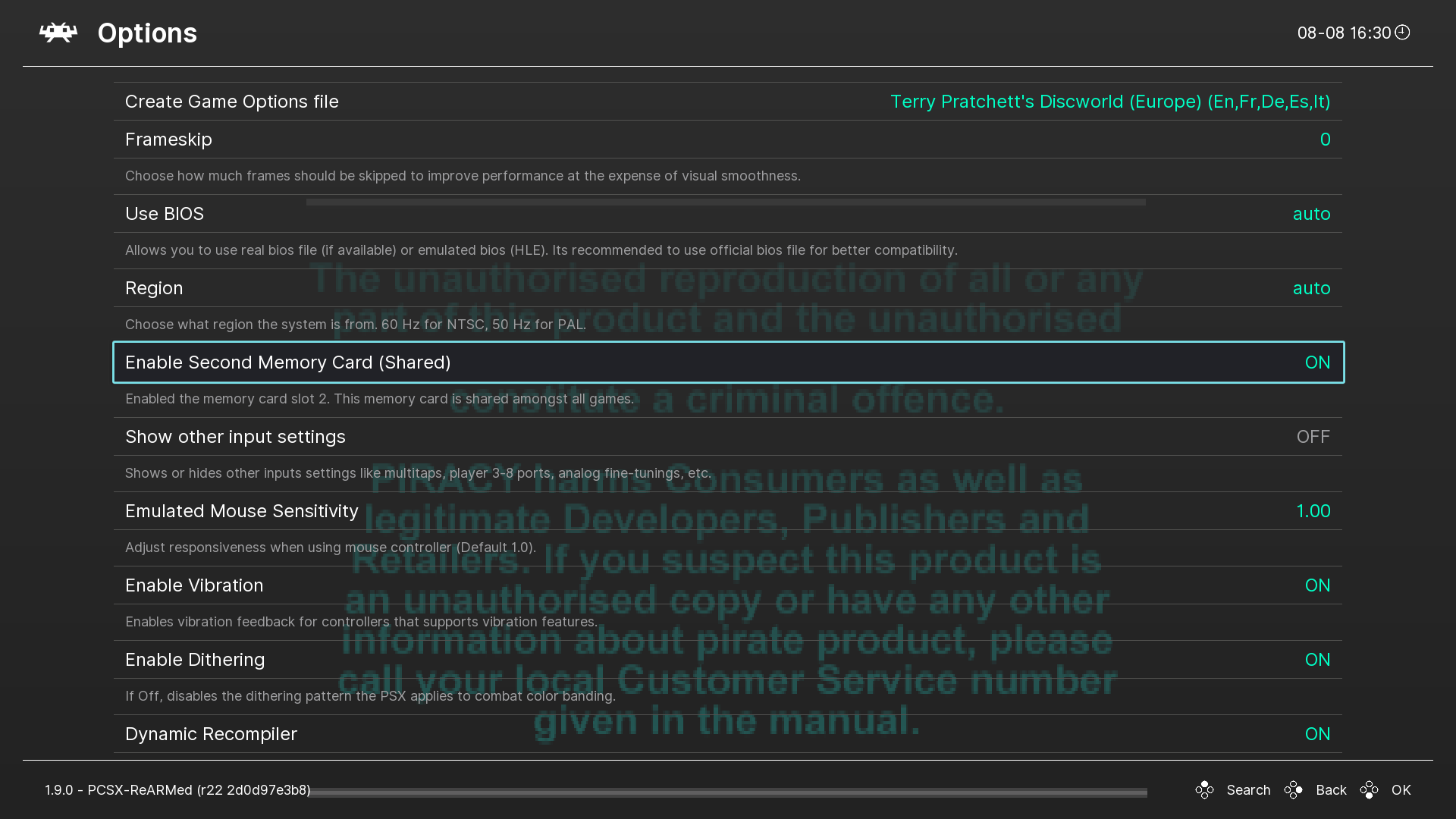
The second card then appears in the game's slot 2, and a pcsx-card2.mcd file is created in /recalbox/share/saves/psx/. This has to be repeated for every game concerned: core options are set per game, unless you save a global option file from RetroArch.
¶ Reaching the BIOS memory card manager
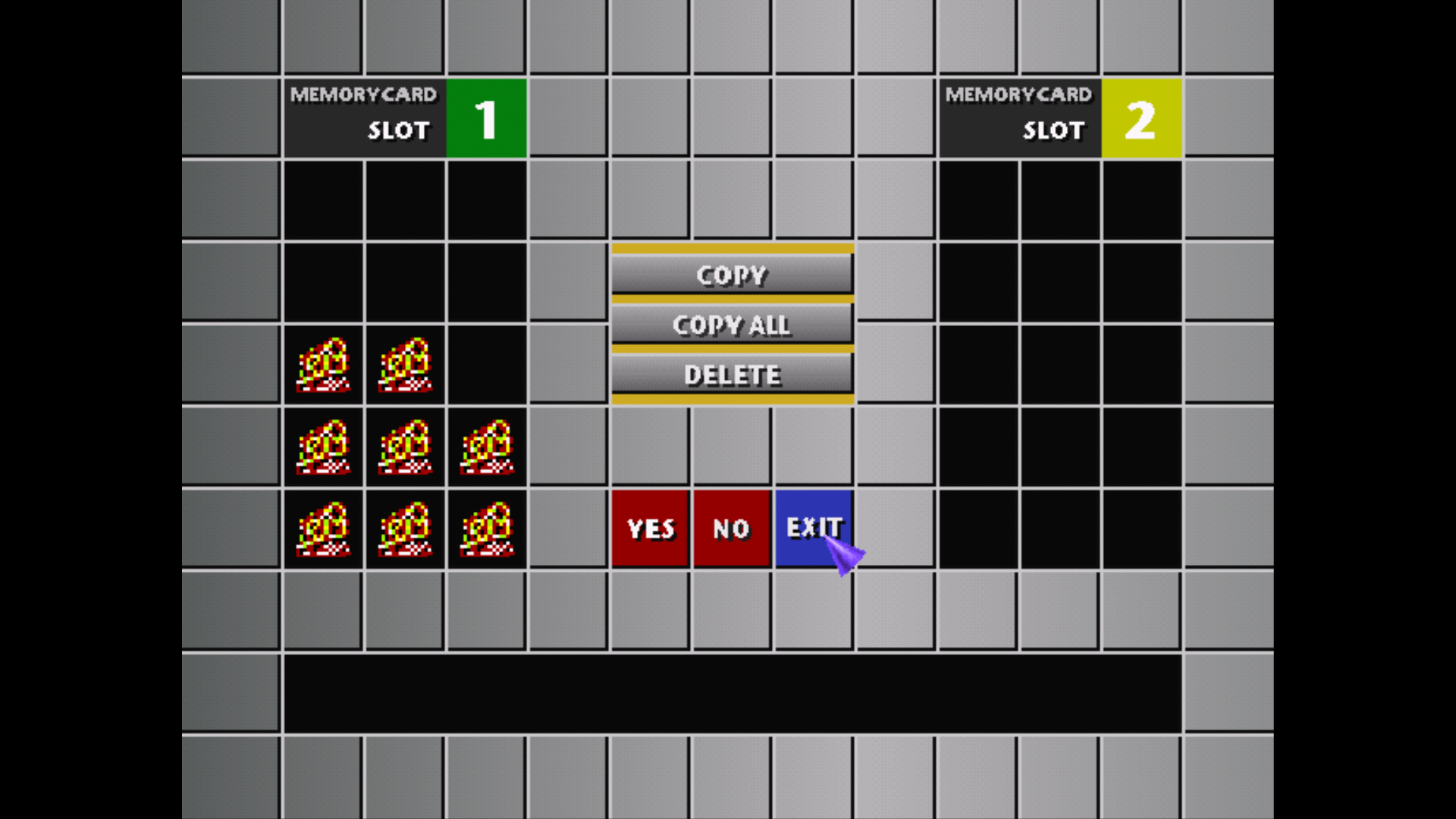
The console BIOS contains a manager that copies and deletes save blocks. To reach it:
- Launch a game, open the RetroArch menu with
HOTKEY+B, thenOptions. - Enable the
Show Bios Bootlogooption. - Quit the game completely, then launch it again.
- During the BIOS boot sequence, eject the disc with
HOTKEY+ left stick up.
You land in the PlayStation BIOS interface, where you can manage your save blocks — and, if you enabled the second memory card, copy data from one card to the other.
¶ Importing a save from elsewhere
¶ From ePSXe (.mcr files)
ePSXe memory cards are already in the right format, only the name changes:
- Grab the file from
ePSXe/memcards/. - Rename it with the exact name of your rom, with the
.srmextension — for instanceFinal Fantasy VII (Europe) (Disc 1).srm. - Copy it to
/recalbox/share/saves/psx/.
¶ From a DexDrive (.gme files)
DexDrive saves must be converted first:
- Download MemcardRex and open it.
File>Open, then select your.gmefile.File>Save as…, and save in the.mcrformat, using the exact name of your rom.- Rename the
.mcrextension to.srmand copy the file to/recalbox/share/saves/psx/.
The save file name must match the rom name exactly. One capital letter or one space off, and the emulator will silently create a blank card next to it.