¶ The engine
Godot is a free and open source game engine (MIT licence), created by Juan Linietsky and Ariel Manzur and opened to the public in 2014. It is now one of the most widely used engines among indie studios and hobbyists: thousands of 2D and 3D games have come out of it, from free game jam entries to commercial successes such as Brotato and Dome Keeper.
A Godot game comes in two parts: the engine, which is an executable, and the game data — levels, images, sounds, scripts — gathered in a package called a .pck. That data holds no machine-specific code: Recalbox runs it with its own engine, built for your board. That is what lets you play a game released for Windows only on a Raspberry Pi.
| Project | Godot Engine |
| Authors | Juan Linietsky, Ariel Manzur, then the Godot community |
| First public release | 2014 |
| Game types | Every genre, 2D and 3D |
| Licence | MIT |
| Controller | Mandatory |
| Keyboard, mouse | Optional — some games require them |
The engines shipped with Recalbox are the Godot project's official export templates: the very binary that runs the game on its author's machine. Nothing is rewritten, nothing is emulated. One exception, on Raspberry Pi: the branch 4 engine is rebuilt there by Recalbox, because the Pi's graphics processor turns down images larger than 4096 pixels — which the official engine leaves black, while this one shrinks them to the limit.
¶ Emulators
New in Recalbox 11.0: the Godot Engine system joins the list.
Emulator availability per board:
| Emulator | RPI3/RPI02W | RPI4/400 | RPI5/500 | OGA/OGS/RG351 | PC | RG353 |
|---|---|---|---|---|---|---|
| godot | ❌ | ✅ | ✅ | ❌ | ✅ | ❌ |
Recalbox ships one engine per branch: Godot 4.7.2 and Godot 3.6.3. The right one is picked automatically, from the version written inside the game file.
There is nothing to set up: fullscreen, controllers, sound and resolution are configured at every launch. Two optimisations are applied along the way, laid down next to the engine and never inside the game file: rendering at the game's design resolution, and a cap on shadow detail in 3D games.
Netplay is not available on this system and RetroAchievements are not supported. CRT output is handled.
¶ Roms
Place your games in:
/recalbox/share/roms/godot/
Accepted extensions: .pck .exe .x86_64
A downloaded Godot game usually comes as a folder holding an executable, sometimes with a .pck file beside it. Copy a single file per game:
- the
.pckif there is one, that is the best choice; - otherwise the executable: the
.exefrom the Windows build or the.x86_64from the Linux build. The game data sits at the end of that file, and Recalbox knows how to extract it.
The .dll, .so and other files shipped alongside are of no use.
/recalbox/share/roms/godot/
├── Gizmoduck.pck
├── Tiny Crate.pck
└── Super Mario 127.exe
You may arrange your games in subfolders.
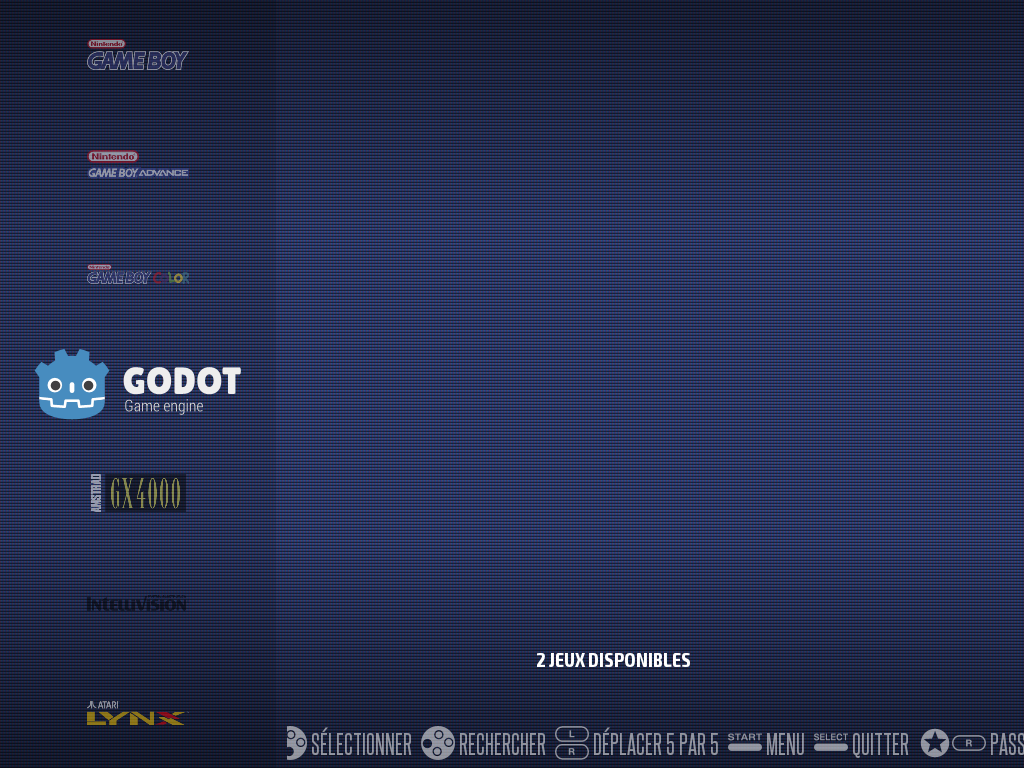
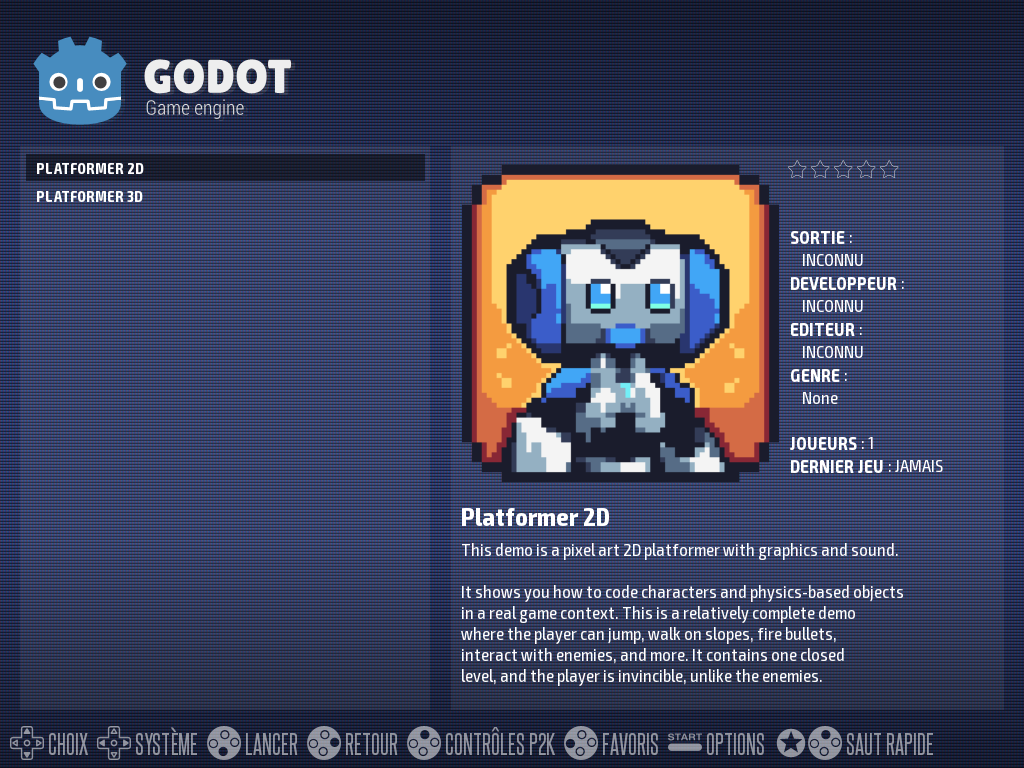
No need to scrape. ScreenScraper knows almost no Godot game, so Recalbox reads the name and the description from the game itself, and takes a picture of it. As long as the game has never been started, that picture is its boot splash or its icon; on the first playthrough Recalbox takes several screenshots between 20 seconds and a minute and a half in, keeps the most colourful one, and prefers it from then on.
If a game asks for an original file — Super Mario Bros. Remastered, for instance, wants the NES ROM of Super Mario Bros. — put that file in the same folder as the game. Recalbox finds it on its own, under the usual extensions: .nes .sfc .smc .gb .gbc .gba.
¶ Where to find games
- itch.io: thousands of games, many of them free, under the Godot tag — https://itch.io/games/tag-godot. Download the Windows or Linux build.
- Steam: the Is it made with Godot? list gathers commercial games made with Godot — https://store.steampowered.com/curator/41324400-Is-it-made-with-Godot/. Copy the
.pckor the executable from the game's install folder.
Small games written in GDScript, Godot's own language, nearly all work. Big commercial games are more demanding: see What cannot run.
¶ Controls
| Controller | Effect |
|---|---|
| Hotkey + Start, or Select + Start | Quit the game |
| Long press on Start, 2 seconds | Quit the game, on a controller with neither hotkey nor Select |
| Hotkey + L1, or Select + L1 | Show or hide the frames per second |
| R3 | Show or hide the on-screen keyboard |
| Right stick | Move the mouse pointer |
| X, Y | Left click, right click |
The game's own controls are up to each game. Some are played with keyboard and mouse only: plug them in.
¶ When a game needs another engine version
A small game runs on the newest engine of its branch; a big one often insists on the engine it was made with. Nothing in the game file makes that predictable, so Recalbox first launches it on the engine in the image and watches what happens.
If the game does not start, a screen explains it and names the version it needs. Those extra engines are downloaded from:
MAIN MENU → DOWNLOAD CONTENTS → Download games for Godot Engine
That entry does not download everything, and despite its name it downloads no games: it fetches, in one go, the engines your games came up short of, and nothing else. A game that runs never leaves a trace there.
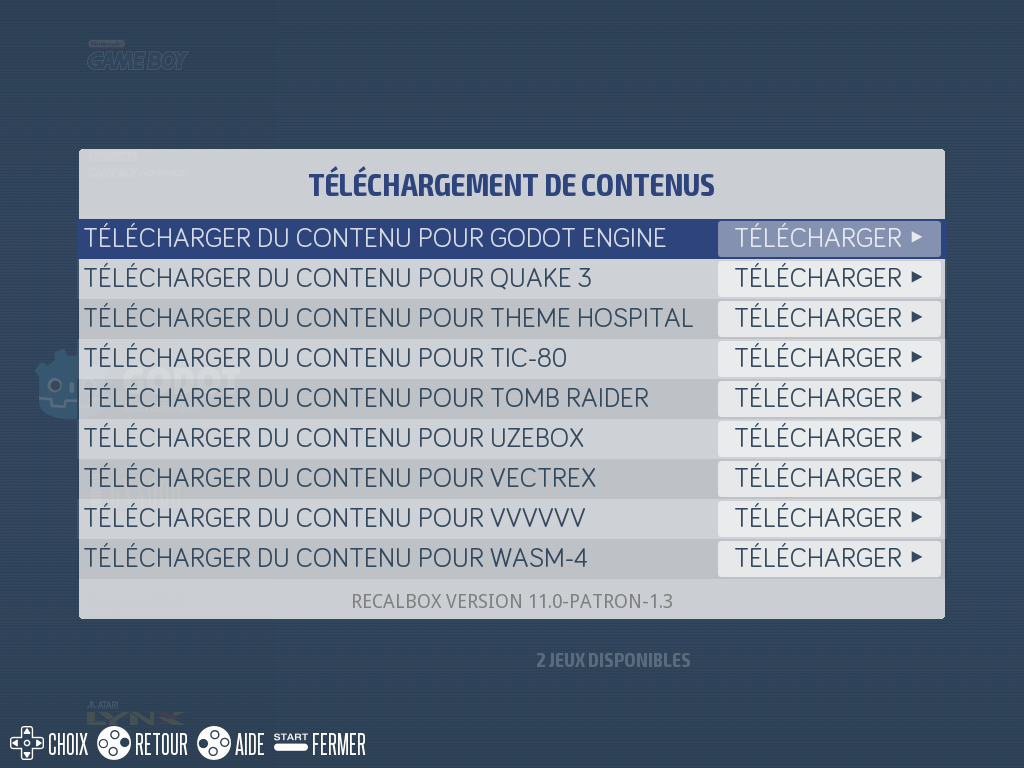
Engines collected this way are kept on the share, under /recalbox/share/system/.cache/godot/engines, and survive Recalbox updates. An Internet connection is required to download them.
The available versions differ from one machine to another, because the Godot project publishes no ARM64 engine before 4.2:
| Downloadable versions | |
|---|---|
| PC | 3.0 to 3.5, and 4.0 to 4.6 |
| Raspberry Pi | 4.2 to 4.6 |
Like the engine shipped in the image, branch 4 engines downloaded on Raspberry Pi are the ones rebuilt by Recalbox. On PC, they are the Godot project's official engines, unchanged.
¶ What cannot run
When a game cannot start, a screen says so at launch; Select + Start goes back to the menu. It is never a matter of "Godot or not" — the causes are known:
| Case | Why |
|---|---|
| Game written in C# (Godot's .NET flavour) | No C# engine ships with Recalbox, on any machine. These games are turned down with a clear message. |
| Game embedding native code — FMOD, Steamworks | That code is built for PC: it does not exist on ARM, so never on a Raspberry Pi. |
| Game made with an engine newer than those available | No engine can open it, and there is none to download. |
| Game made with Godot 2 | The oldest engine available is a 3.0. |
Two remarks:
- a missing optional extension, such as Discord or git, does not stop a game from running;
- many Steam games call GodotSteam at startup. Recalbox hands them a stand-in that answers what GodotSteam answers when the Steam client is not running: the game starts, without online achievements or leaderboards.
On a Raspberry Pi, a 3D game with advanced effects may also be too slow to be enjoyable, without being turned down.
¶ Advanced options
¶ Settings in recalbox.conf
| Key | Values | Effect |
|---|---|---|
godot.showfps |
0 / 1 |
Shows the frames per second from launch. By default, follows the frontend's global setting. |
godot.shadows |
low, medium (default), high, max |
Shadow detail in 3D games. Lower is faster; max restores the shadows the author intended, at the cost of frames per second. |
godot.cursor.timeout |
seconds, 0 = never |
Delay before the mouse pointer disappears. |
¶ Where the saves are
Each game's saves and settings are in:
/recalbox/share/saves/godot/
When you delete a game from Recalbox, it also offers to delete its saves, as it does for other systems.